
⏰ 1. Check whether there was a problem
The first thing we recommend is to contact the creator directly through the platform chat. Often it's just a minor setback.
-
Agree on a new delivery date with the creator.
-
Once you've agreed on it, you can change it by following the steps in this article:
❌ 2. If you decide to cancel the Work Order
If you can't agree on a new date or you decide to cancel the order, you can do it directly from the platform if the order is in one of these statuses:
- ODT Sent ("ODT Enviada")
- Barter Shipping ("Envío de Canje")
- Creating Content ("Generando contenido")
To cancel the order, use the Cancel ODT ("Cancelar ODT") option in the Work Order, which is available in the pipeline steps listed above.
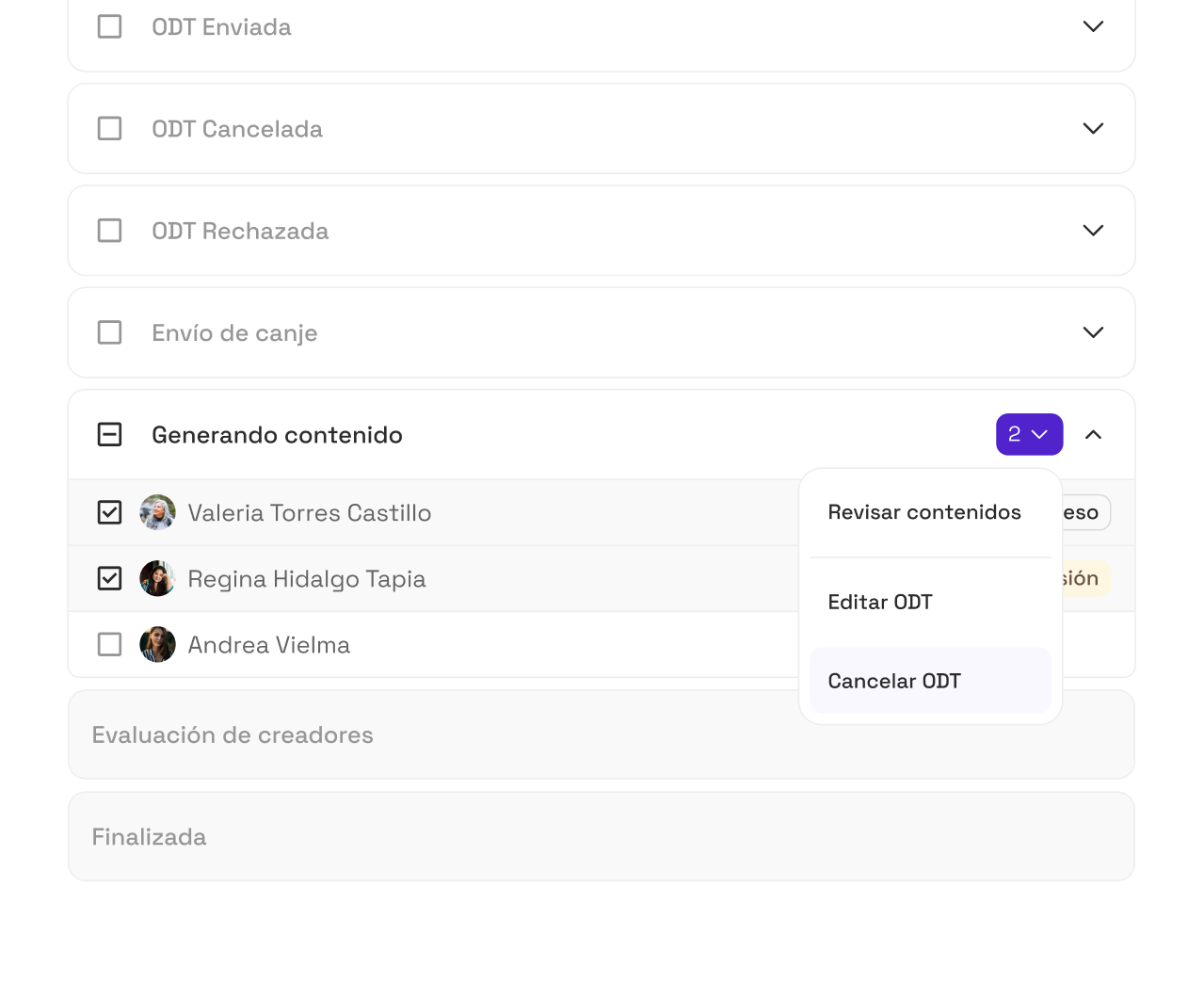
Once the cancellation is approved:
- We'll refund the committed payment to your Montu Wallet.
- We'll also refund the commercial value of the barter linked to the order (if applicable).