
📹 Where do I find the delivered content?
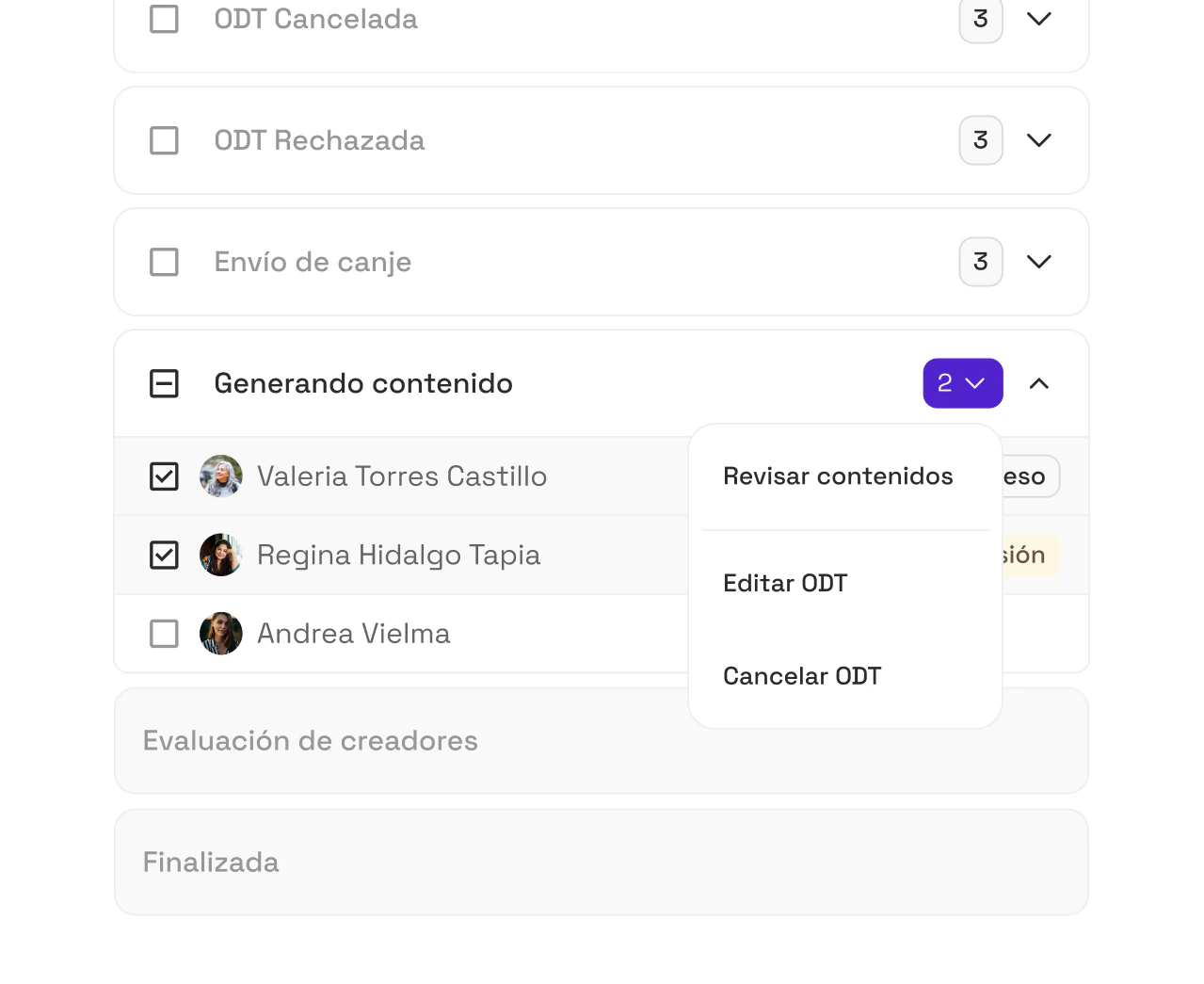
While a creator is working on their video, they'll appear in the pipeline step called Creating Content ("Generando Contenido").
Next to each creator, you'll see one of these labels
- 🔘 In progress ("En proceso"): the creator hasn't uploaded content yet. Nothing is waiting for review.
- 🟡 For review ("Por revisión"): the creator uploaded a piece of content and is waiting for your approval or feedback.
To review the content, click the Review content ("Revisar contenido") button.
🔍 How do you review content and leave comments?
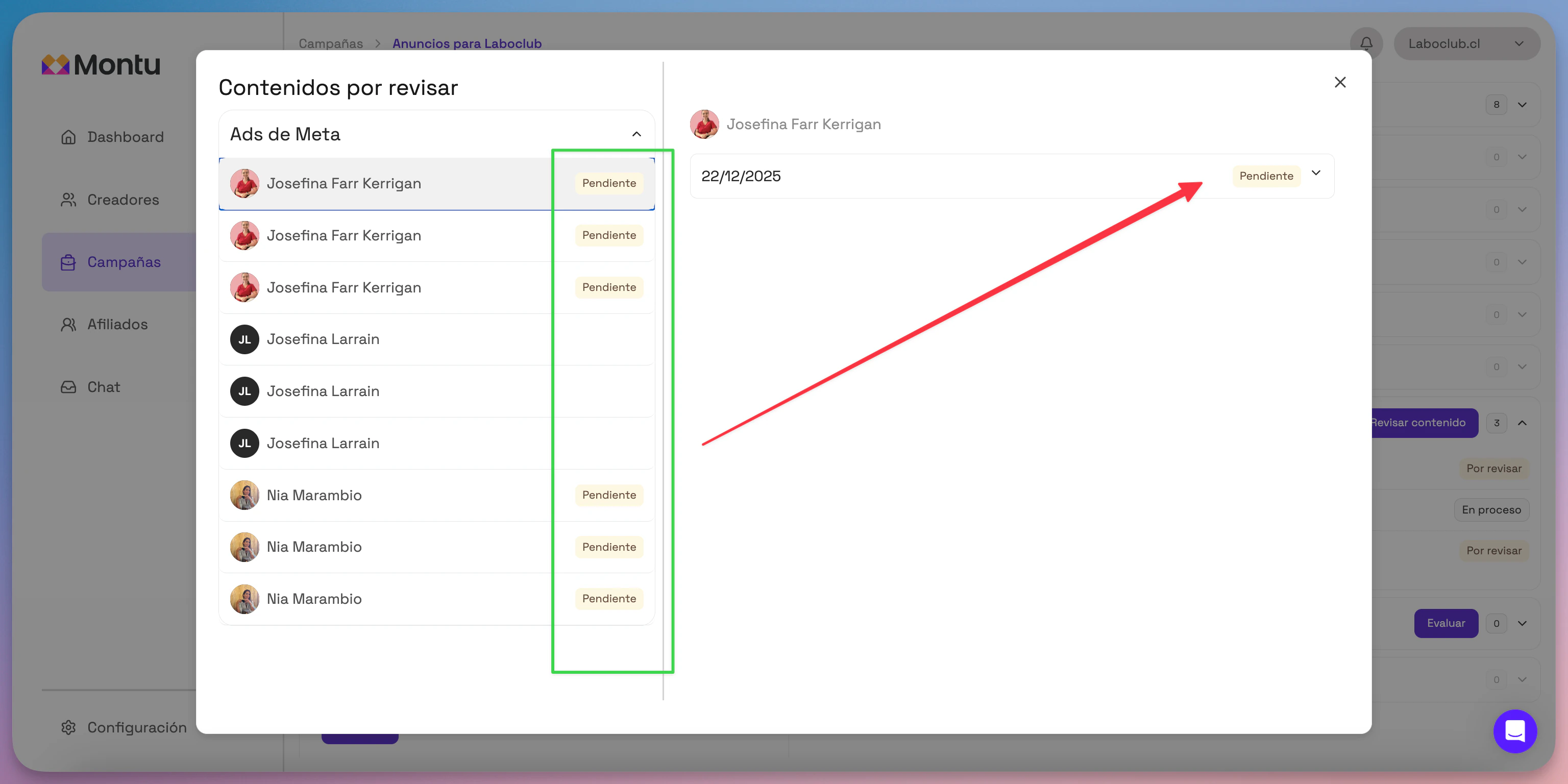
When you click Review content, a modal will open with all the creator's information.
In the left column you'll find the pieces of content linked to that order, each with its status:
- 🟡 Pending ("Pendiente"): content delivered, waiting for your approval.
- ⚪ Empty ("Vacío"): the creator hasn't uploaded content yet.
- 🟢 Approved ("Aprobado"): you've already reviewed it and given it the green light.
✍️ How do I approve or reject content?
- Click a piece in the left column.
- A button with the content's delivery date will appear.
- Click that button to expand:
- The video uploaded by the creator.
- A text field for writing comments or feedback.
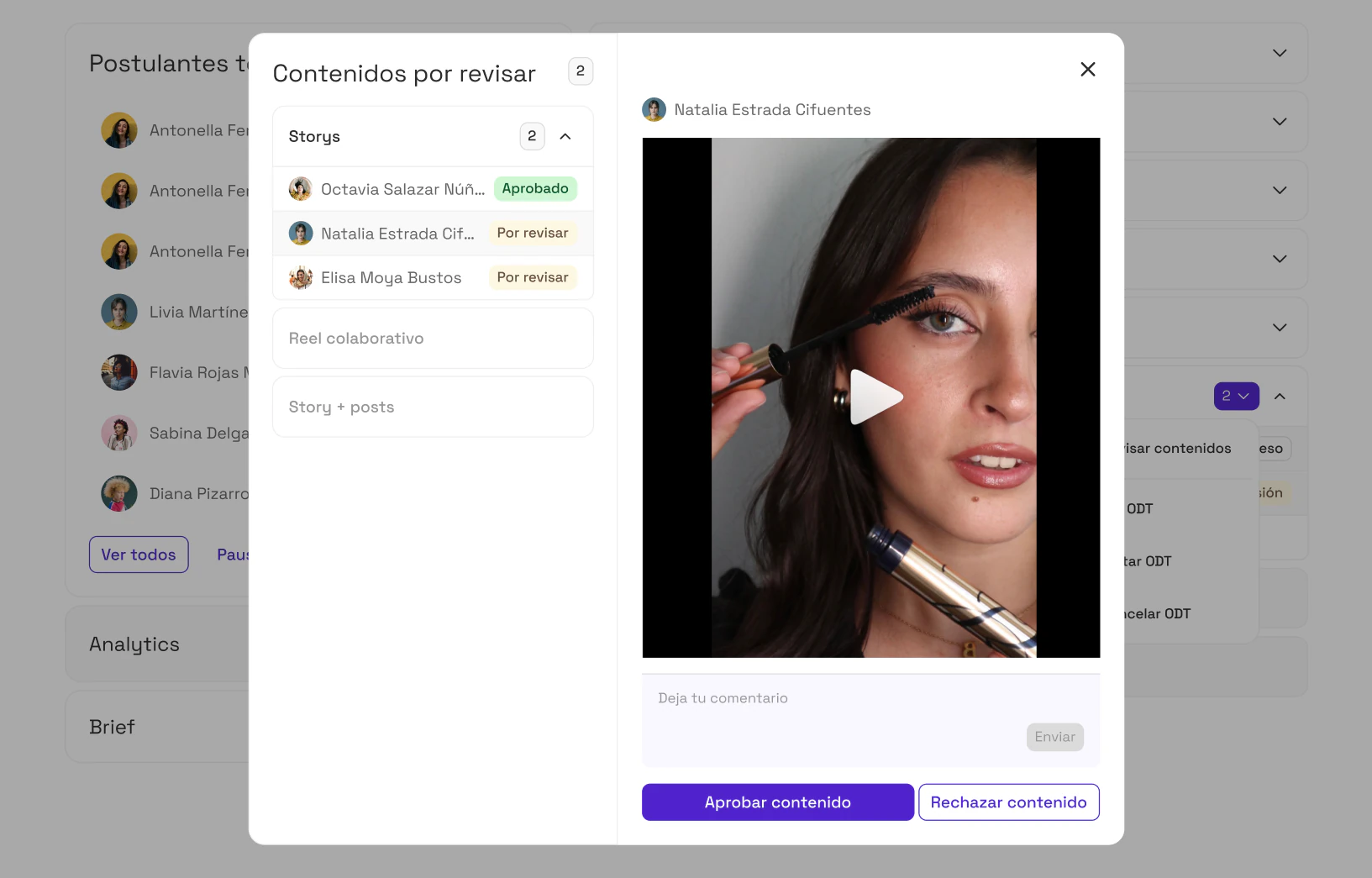
Then you can take one of these actions:
- ✅ Approve ("Aprobar"): marks the content as successfully delivered.
- ❌ Reject ("Rechazar"): your feedback is sent to the creator so they can upload a new version.
Note: There's no limit on revisions. You can also see the history of previous versions and comments in this same section.
🔄 What happens when all the videos are approved?
When all the pieces of content linked to a creator have been approved, the creator automatically moves to the next step of the pipeline: Pending Closure ("Pendiente de Cierre").