
When and how should I ship the campaign's barter products?
Find out when you should ship the products to the creator and how to mark the shipment in your Montu campaign.
📦 When should I ship the barter products?
You should only ship the products after the creator has accepted the Work Order and is in the pipeline stage called Barter Shipping ("Envío de Canje").
⚠️ Important: Don't ship anything before the creator accepts the ODT. Montu isn't responsible for products shipped outside the formal process.
🚚 How do you ship them?
-
Open your campaign's details from the Campaigns ("Campañas") section.
-
Once a creator reaches the Barter Shipping step, you'll see the button with the address icon next to their name.
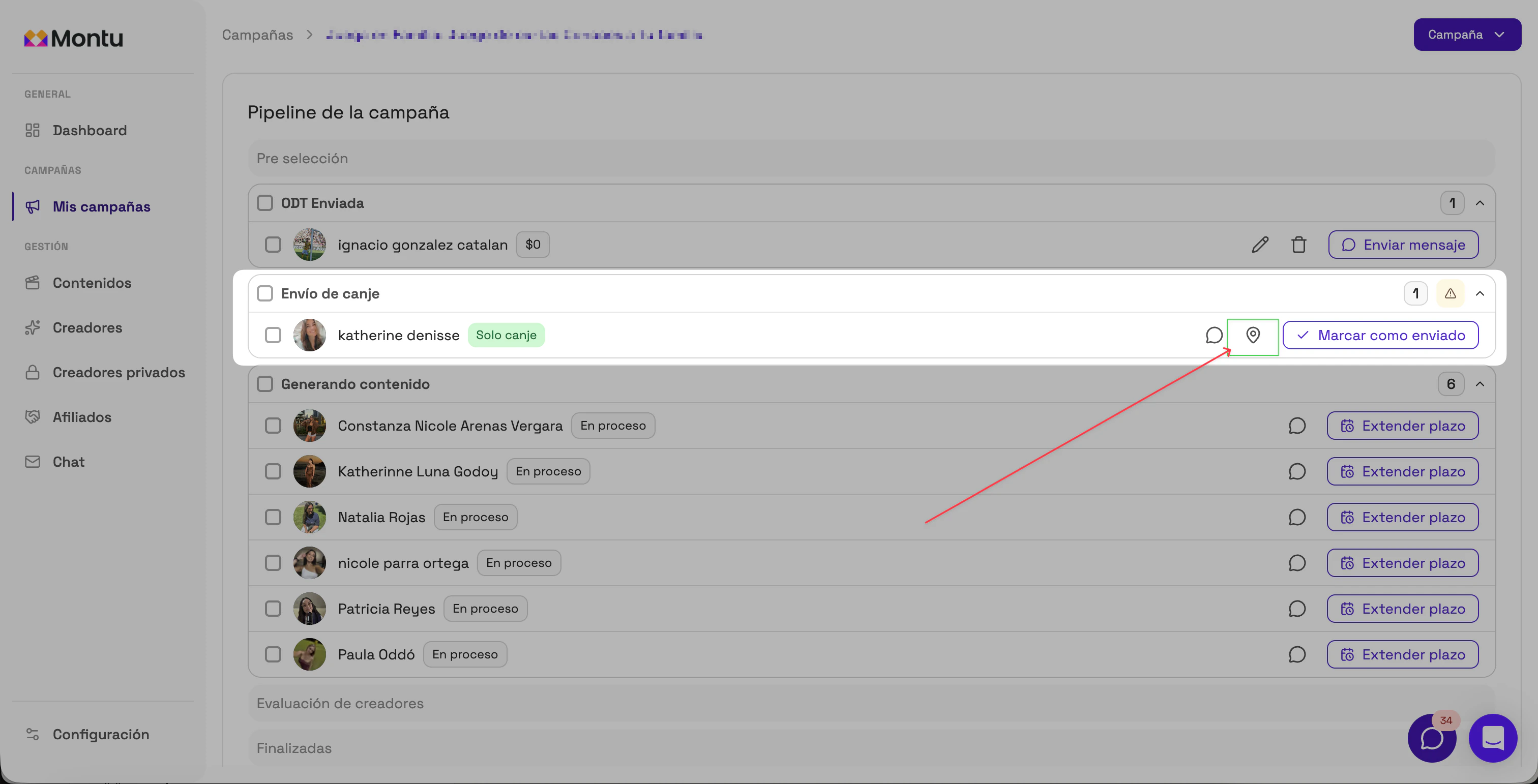
-
Click that button. A window will open with:
- The details of the committed products or services.
- The creator's shipping address.
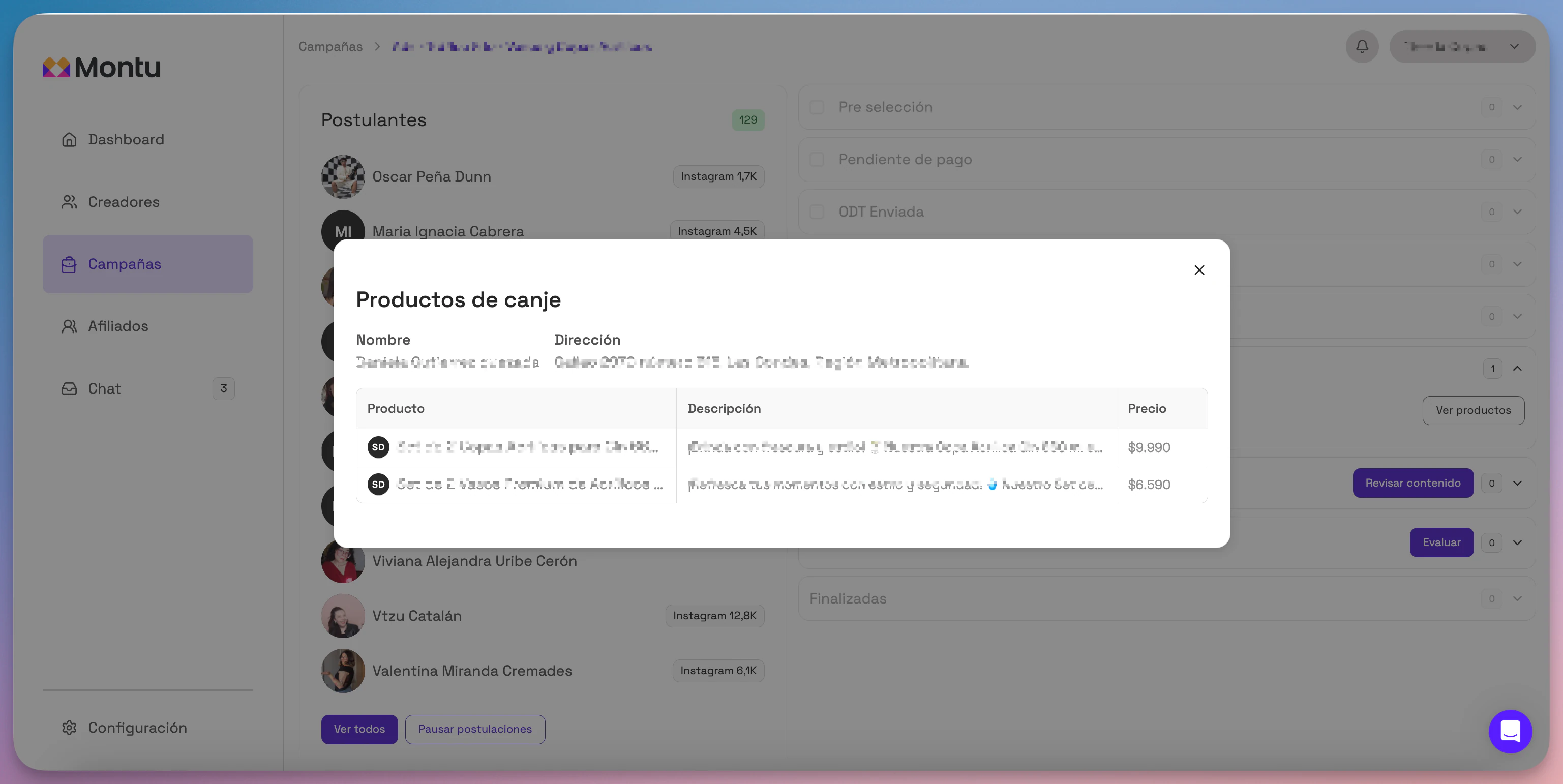
If you need more information to ship the products (such as their RUT tax ID, address references or an additional contact), you can ask the creator directly through the chat.
📍 Can I download the shipping addresses?
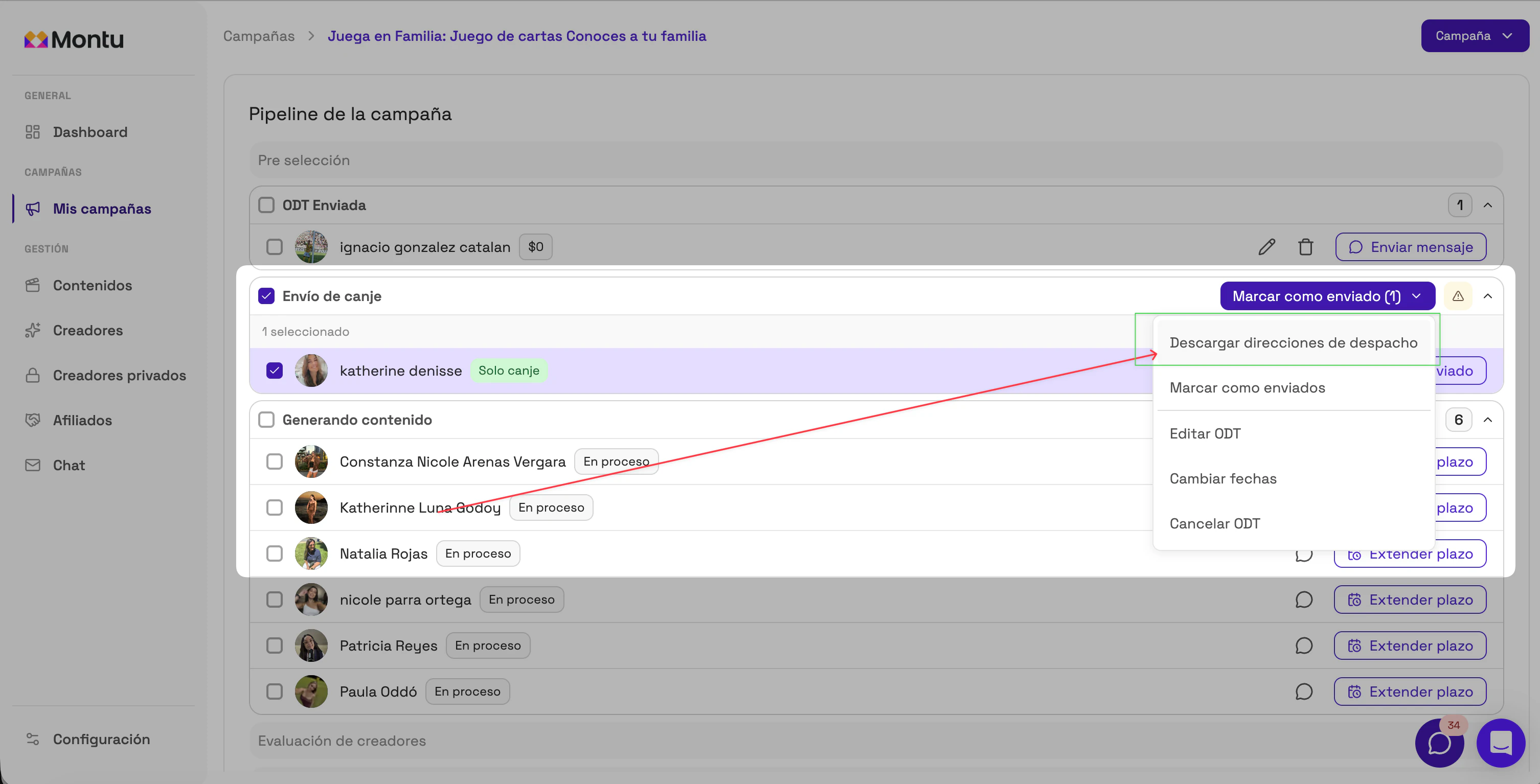
To download an Excel file with the shipping addresses, check the boxes for the creators you want to include and select the "Download shipping addresses" ("Descargar direcciones de despacho") action button.
✅ How do I mark the barter products as shipped?
Once you've shipped the products:
-
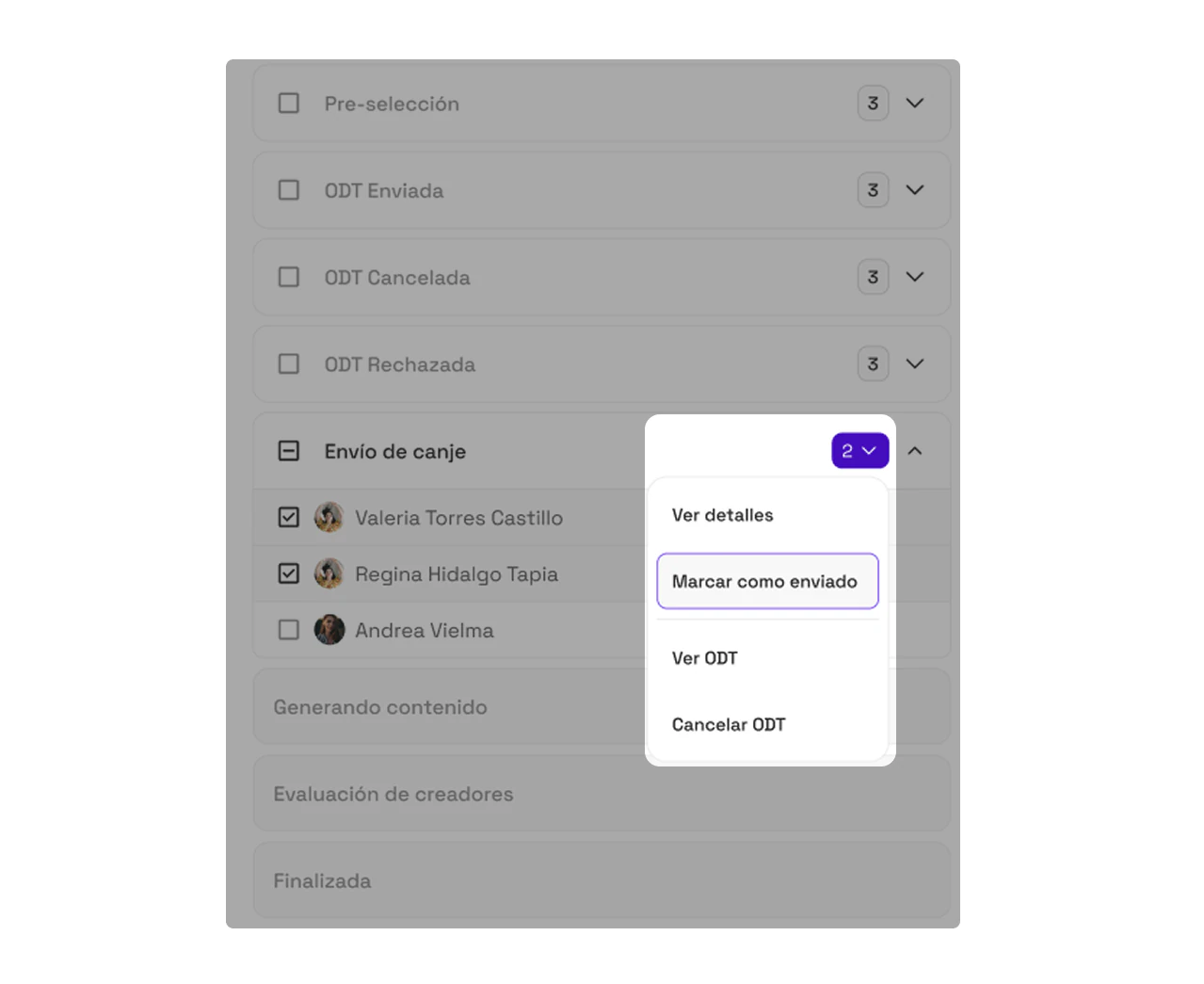
Check the checkbox next to the creator's name.
-
In the actions menu, select Mark as shipped ("Marcar como enviado").
-
This automatically moves the creator to the next stage: Creating Content ("Generando Contenido").
🟢 Note: It's important to mark this step so the process continues correctly in the system and Montu can keep track of deliveries.