
Filter your chats by unread messages or unanswered conversations to stay organized and prioritize your interactions with creators.
As your team interacts with more creators, your chat inbox can fill up quickly. To help you stay organized, Montu offers simple filters that let you prioritize conversations by status.
📌 Available filters
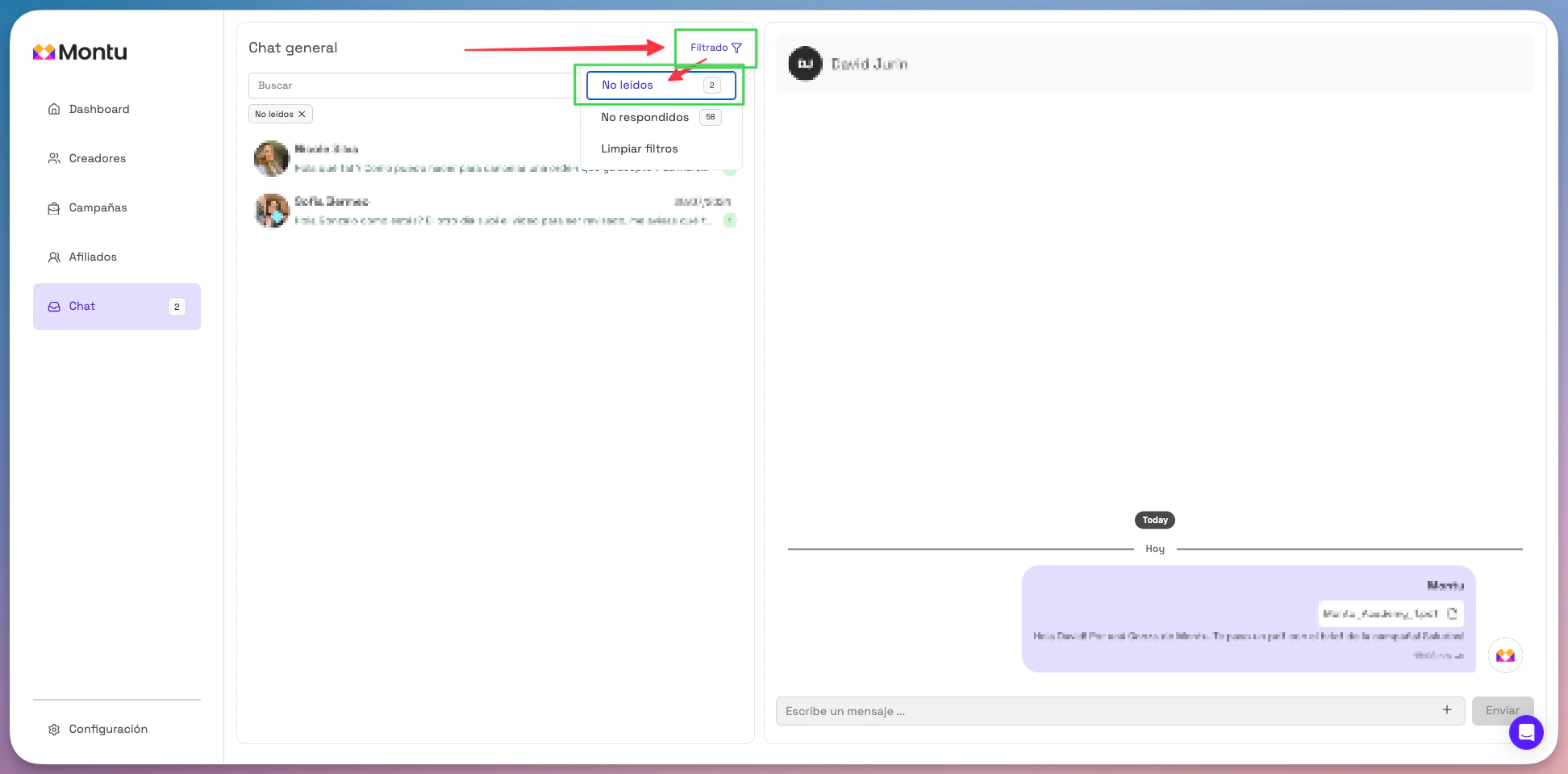
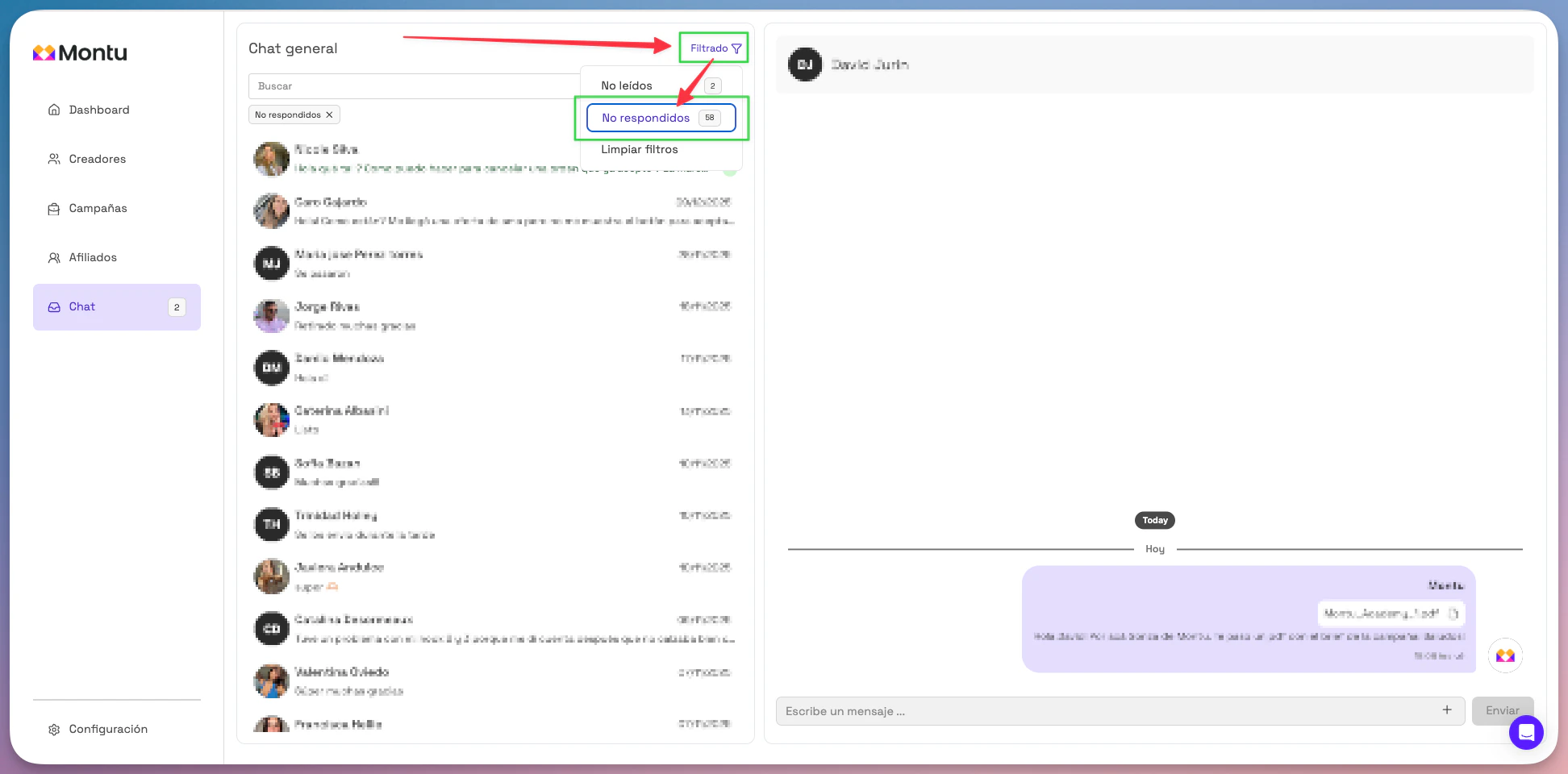
At the top of the chat panel, you'll find two key filters:
🔹 Unread ("No leídos")
"Shows all conversations with new messages you haven't opened yet."
🔹 Unanswered ("No respondidos")
"Filters conversations where the last message was sent by the creator and your team hasn't replied yet."
💡 Tip
Use these filters every day to:
- Prioritize urgent messages
- Avoid leaving interested creators without a reply
- Keep up with active conversations across multiple campaigns