
🧭 Where can I see accumulated commissions?
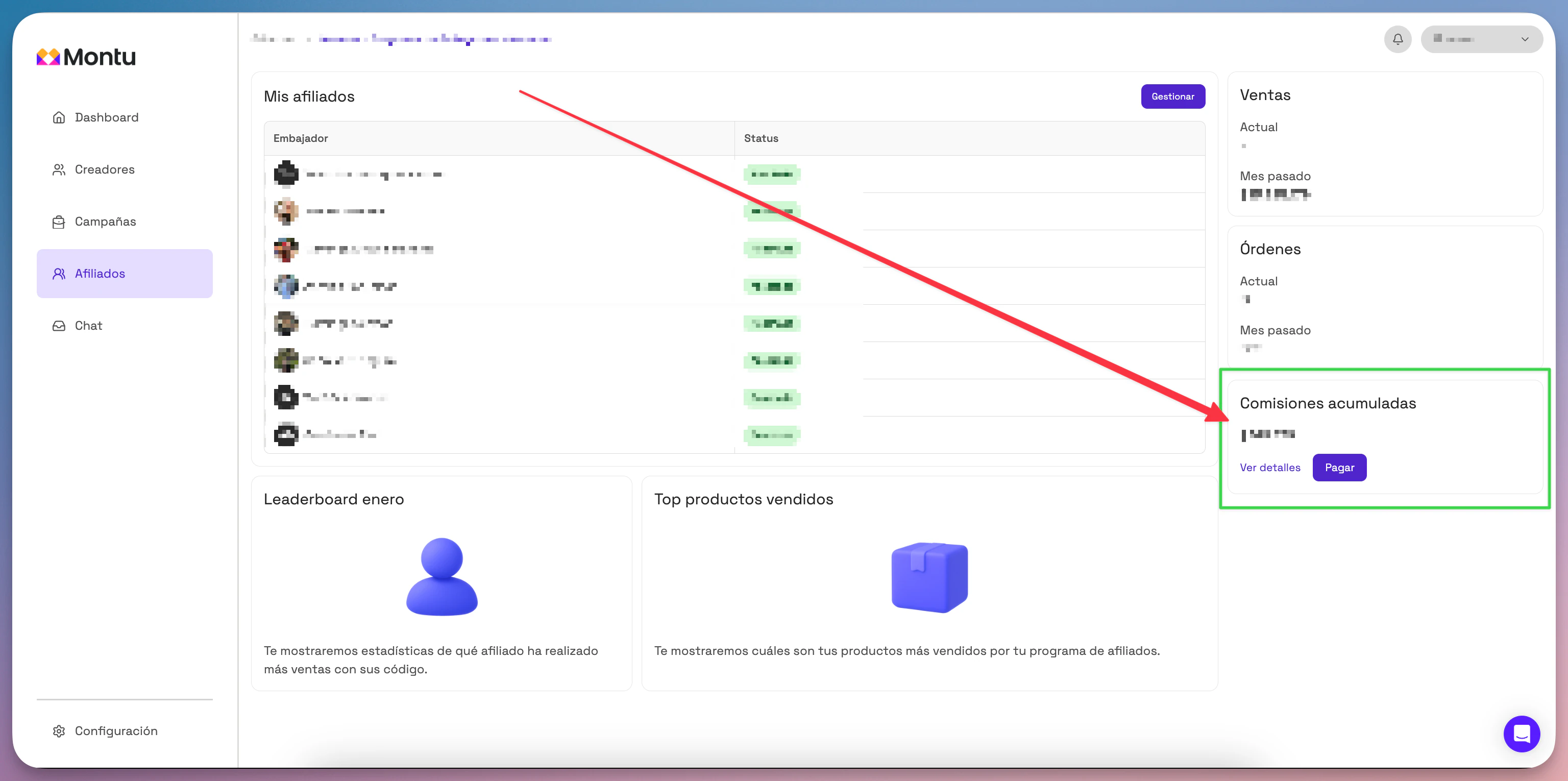
- Go to the Dashboard → click the Affiliates ("Afiliados") section.
- Select the name of the program you want to manage.
- In the right column, right below the sales panel, you'll find the Accumulated Commissions ("Comisiones Acumuladas") block.
- Click View details ("Ver detalles").
📋 What will I see in the details?
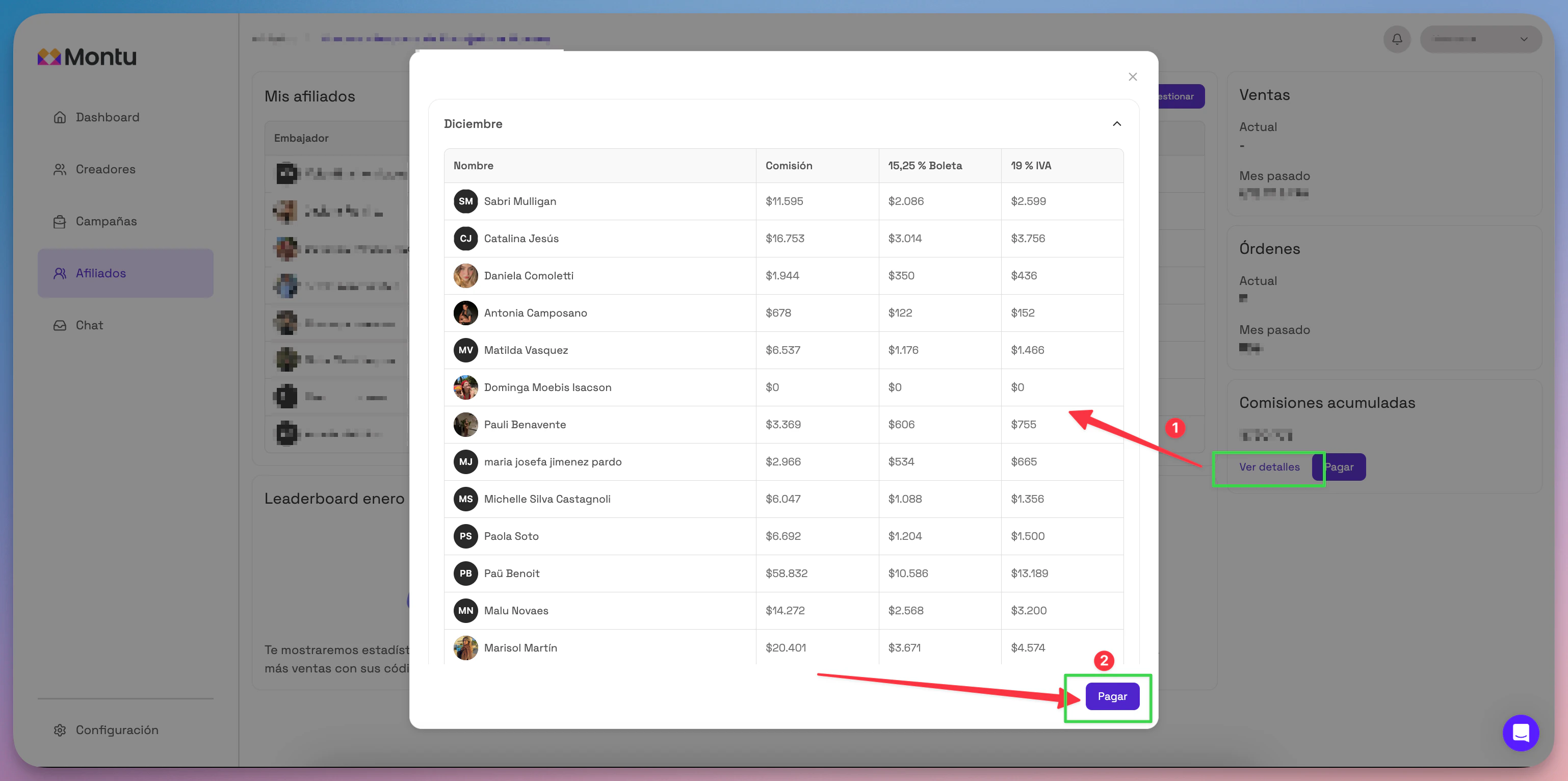
A modal opens with the list of periods pending payment, showing:
- The total amount to pay.
- The breakdown of commissions by affiliate.
✅ How do I make the payment?
- Click the Pay ("Pagar") button.
- A window opens where you need to:
- Fill in your billing details.
- Select the payment method.
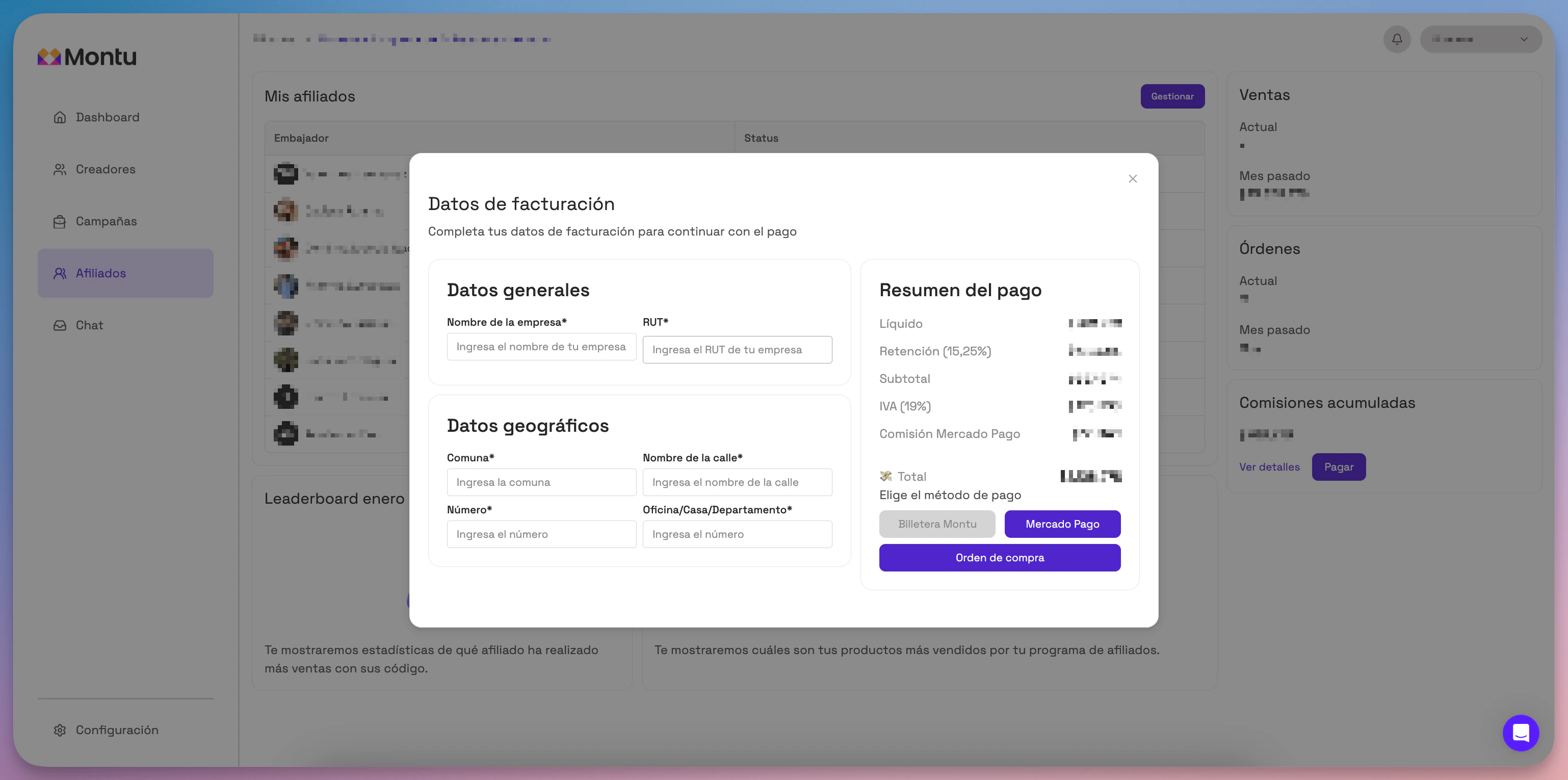
💳 Available payment methods
| Method | Description | Extra fee |
|---|---|---|
| MercadoPago | Single payment with a credit, debit or prepaid card, or your MP balance. | Yes, MercadoPago's standard fee. |
| Montu Wallet ("Billetera Montu") | Use your available Montu balance to pay. | No fee. |
| Purchase Order ("Orden de Compra") (Enterprise only) | A PO is issued and invoiced | 10% surcharge. |
📤 What happens after payment?
- Commissions are automatically released to the affiliates' wallets.
- The corresponding invoice is sent to your registered email.
- You can also download it from Settings → Billing ("Configuración → Facturación").
- The accumulated commissions for that period go back to $0.