
Learn how to add affiliates to your program from the Affiliates ("Afiliados") section, pre-select them, invite them and activate their coupon in your store.
Once your program is created, you can start adding affiliates directly from the platform. These affiliates will get their own discount coupon to promote your brand and earn a commission on every sale they generate.
🧭 Step by step: add affiliates
- Go to the Dashboard and click the Affiliates ("Afiliados") section.
- Click the name of the program you want to add people to.
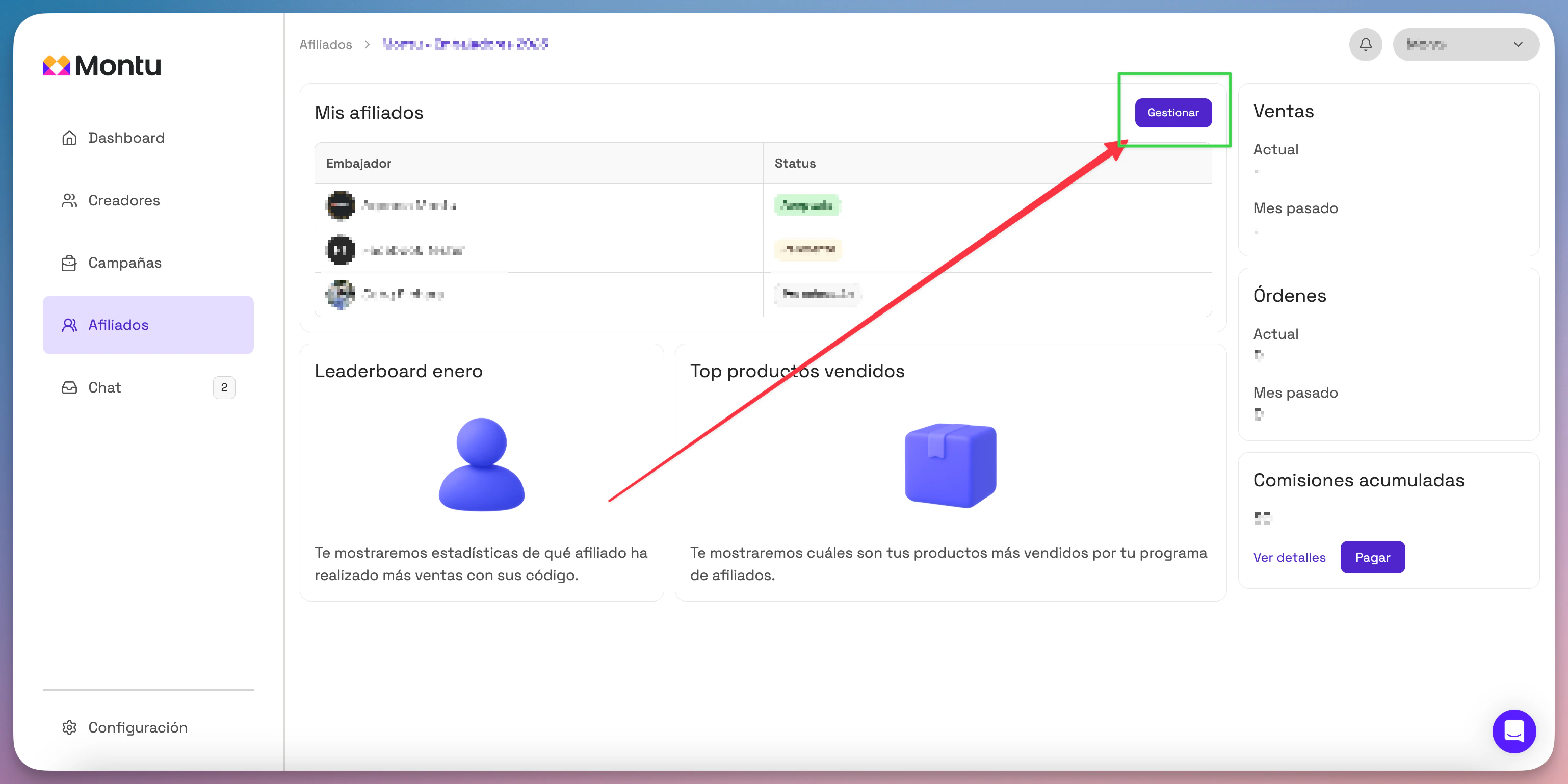
- Inside the program, go to the My Affiliates ("Mis Afiliados") tab and click Manage ("Gestionar").
🔍 Search for and pre-select affiliates
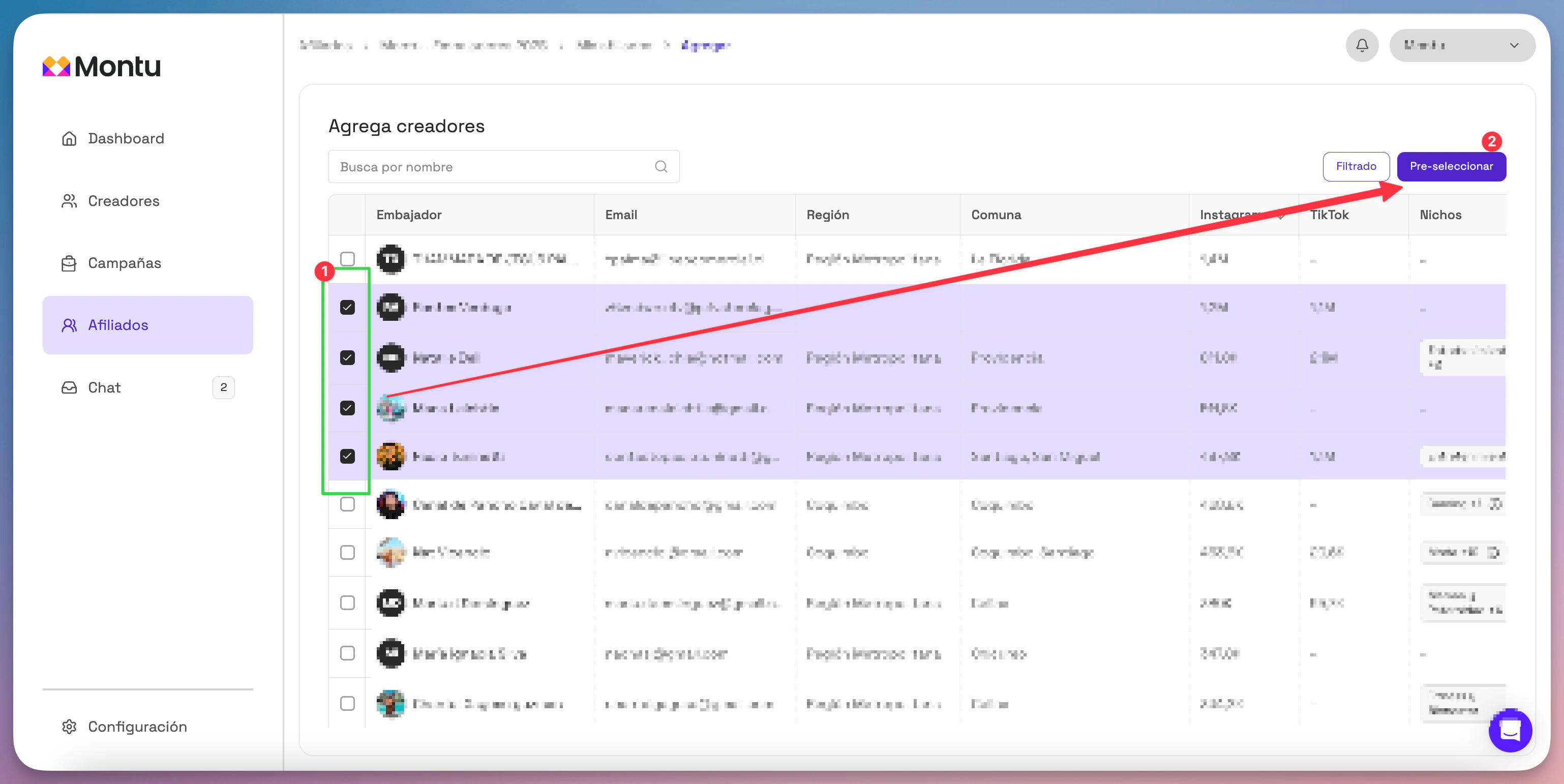
- Click Add affiliates ("Agregar afiliados").
- The search tool opens so you can browse and filter creator profiles.
- When you find someone interesting, there are two ways to pre-select them:
Option 1
✔️ Check the box next to the creator's name, then click Pre-select ("Preseleccionar").
Option 2
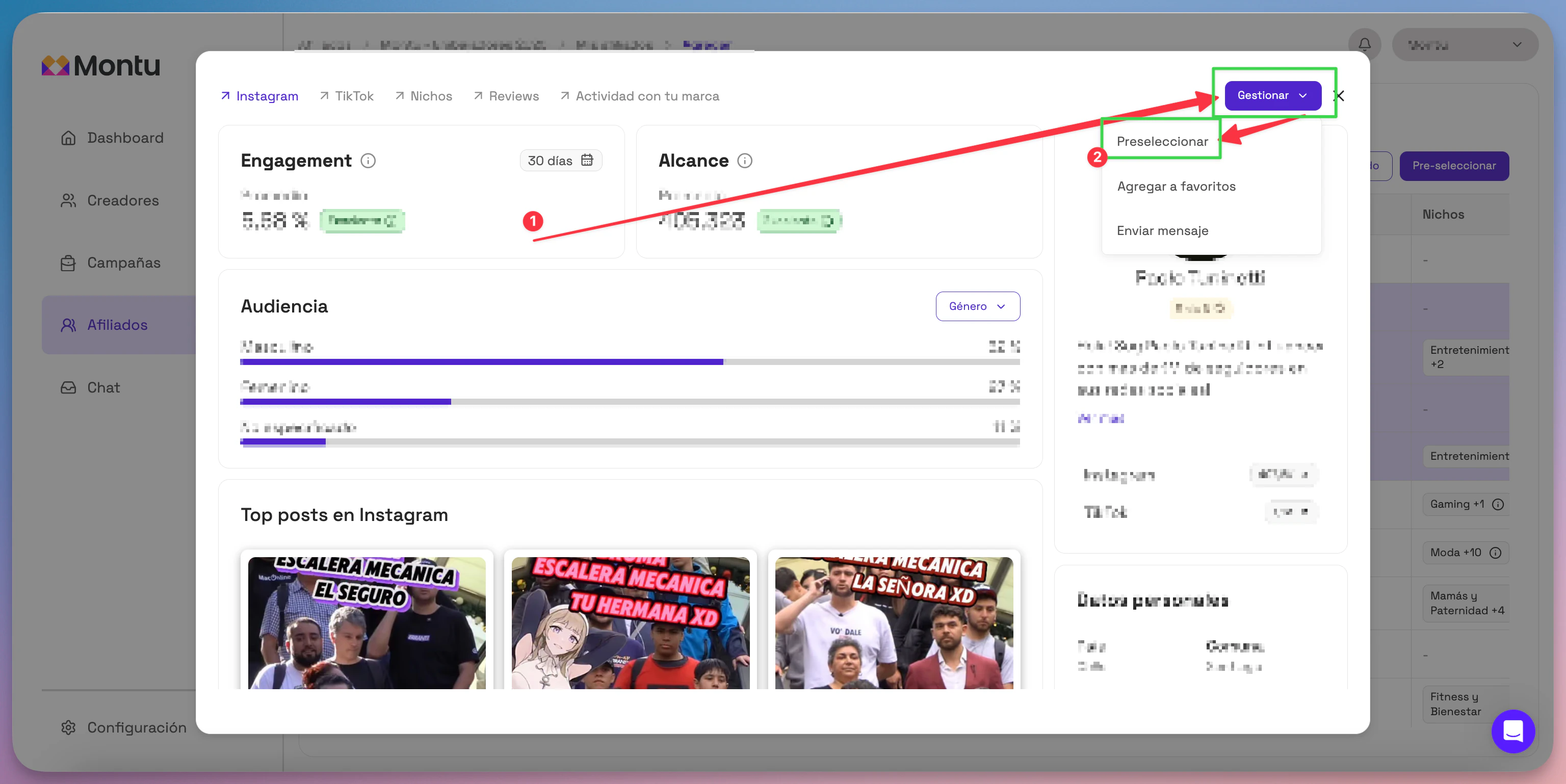
➡️ Click the creator's name to open their profile → click Manage → select Pre-select.
📩 Send the invitation
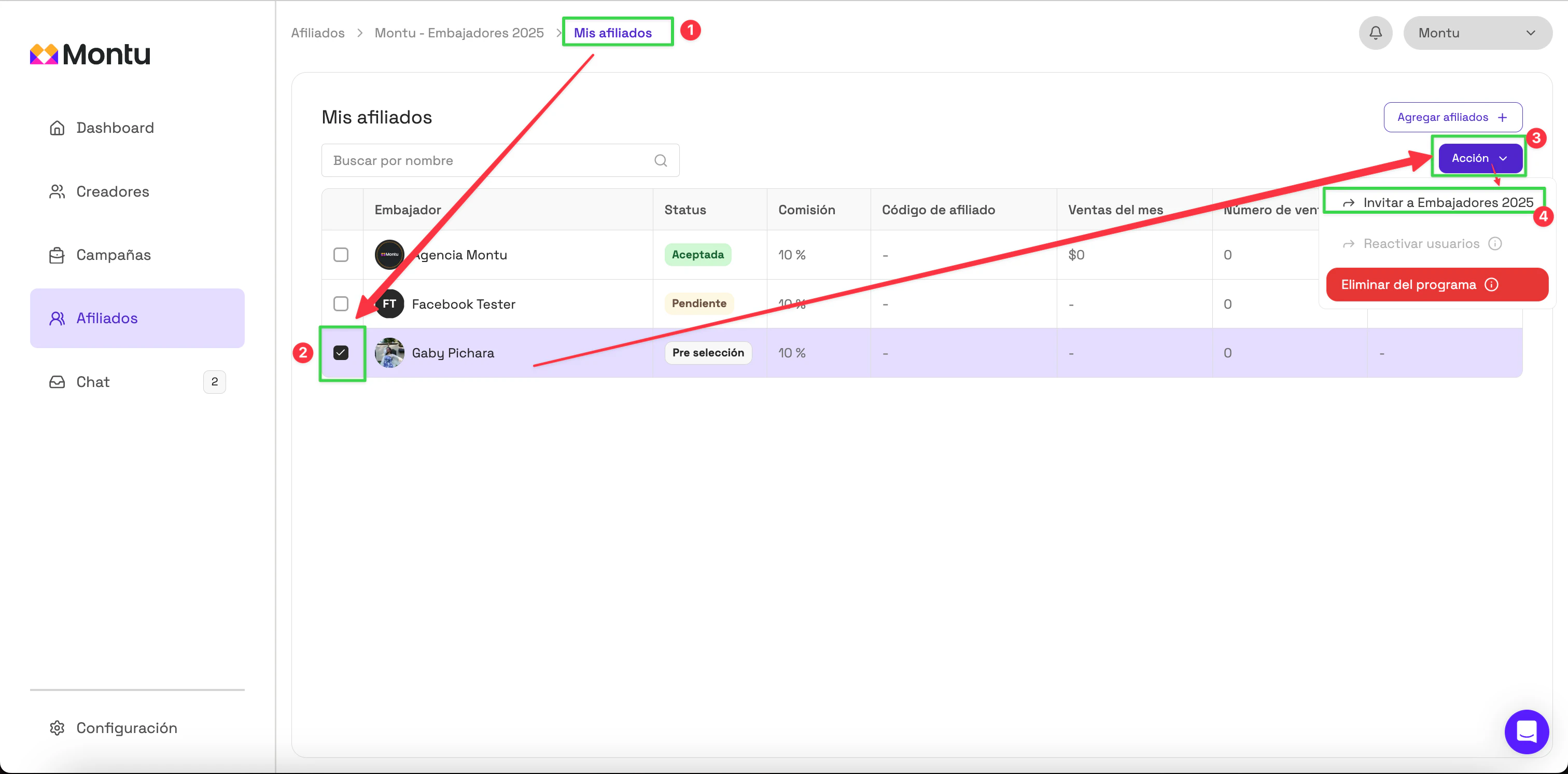
- Once they're pre-selected, go back to My Affiliates by clicking the breadcrumb at the top.
- Check the checkbox next to the pre-selected creators.
- Click the Action ("Acción") button → Invite ("Invitar").
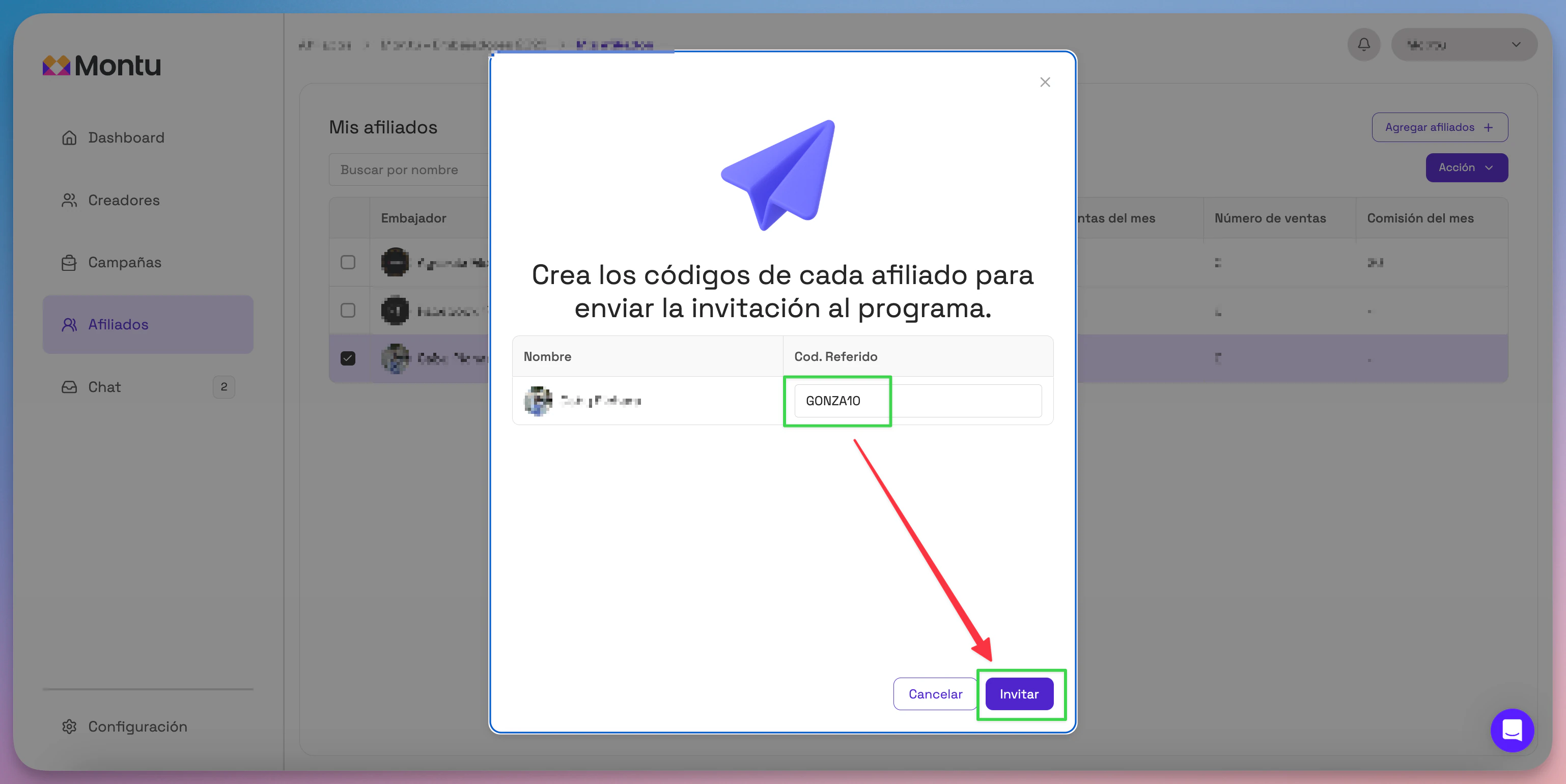
- A window opens where you need to enter the coupon name for each creator.
- Enter the coupon name and click Invite.
✅ What happens next?
- The affiliate's status changes to Pending ("Pendiente").
- When the person accepts the invitation from their mobile app, the status changes to Accepted ("Aceptada").
- At that point, Montu automatically creates the coupon in your store, and the affiliate becomes active in your program.