Step by step
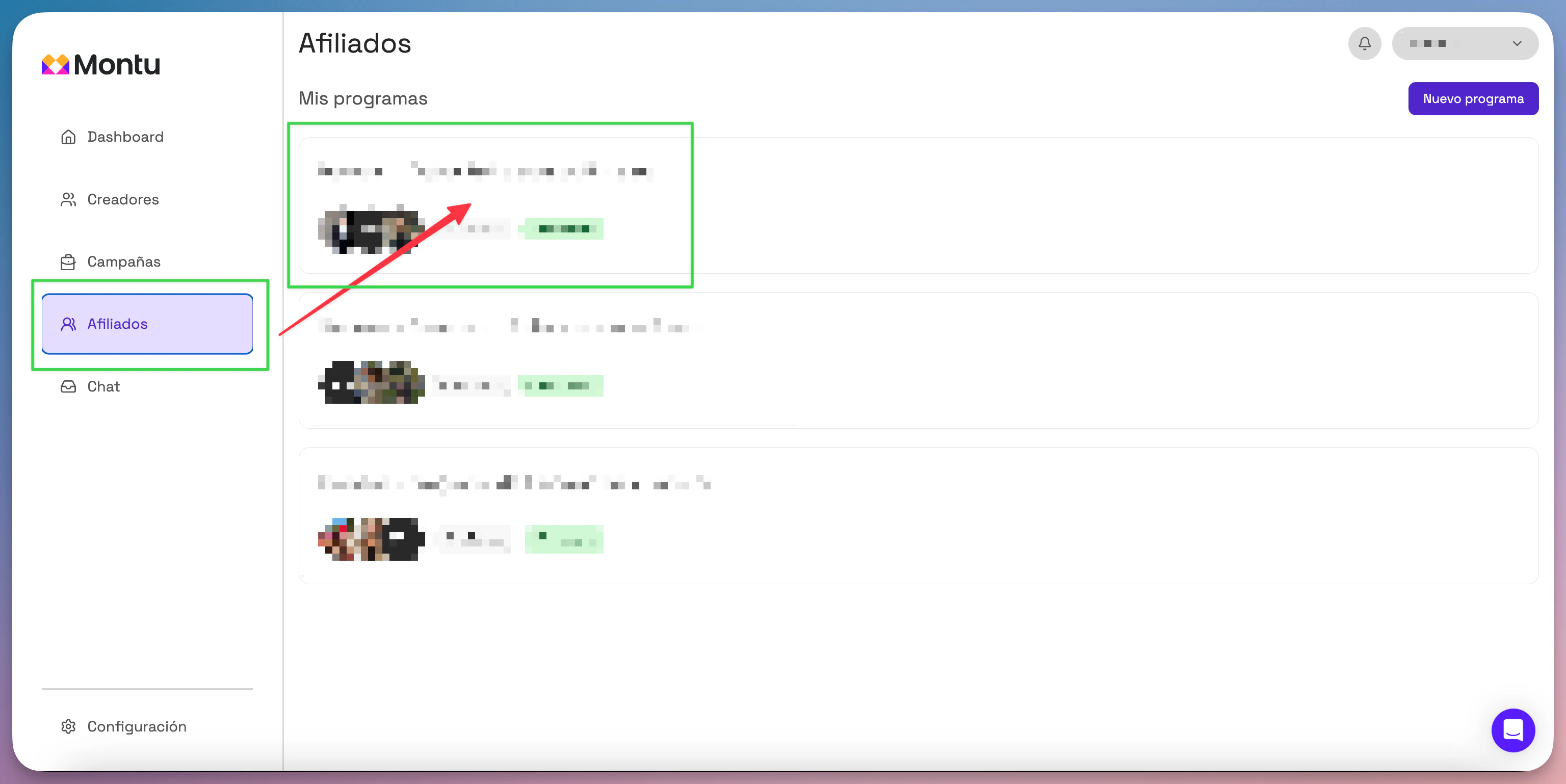
- Go to the Main Dashboard.
- Click the Affiliates ("Afiliados") section.
- Select the name of the program you want to analyze.
Program overview
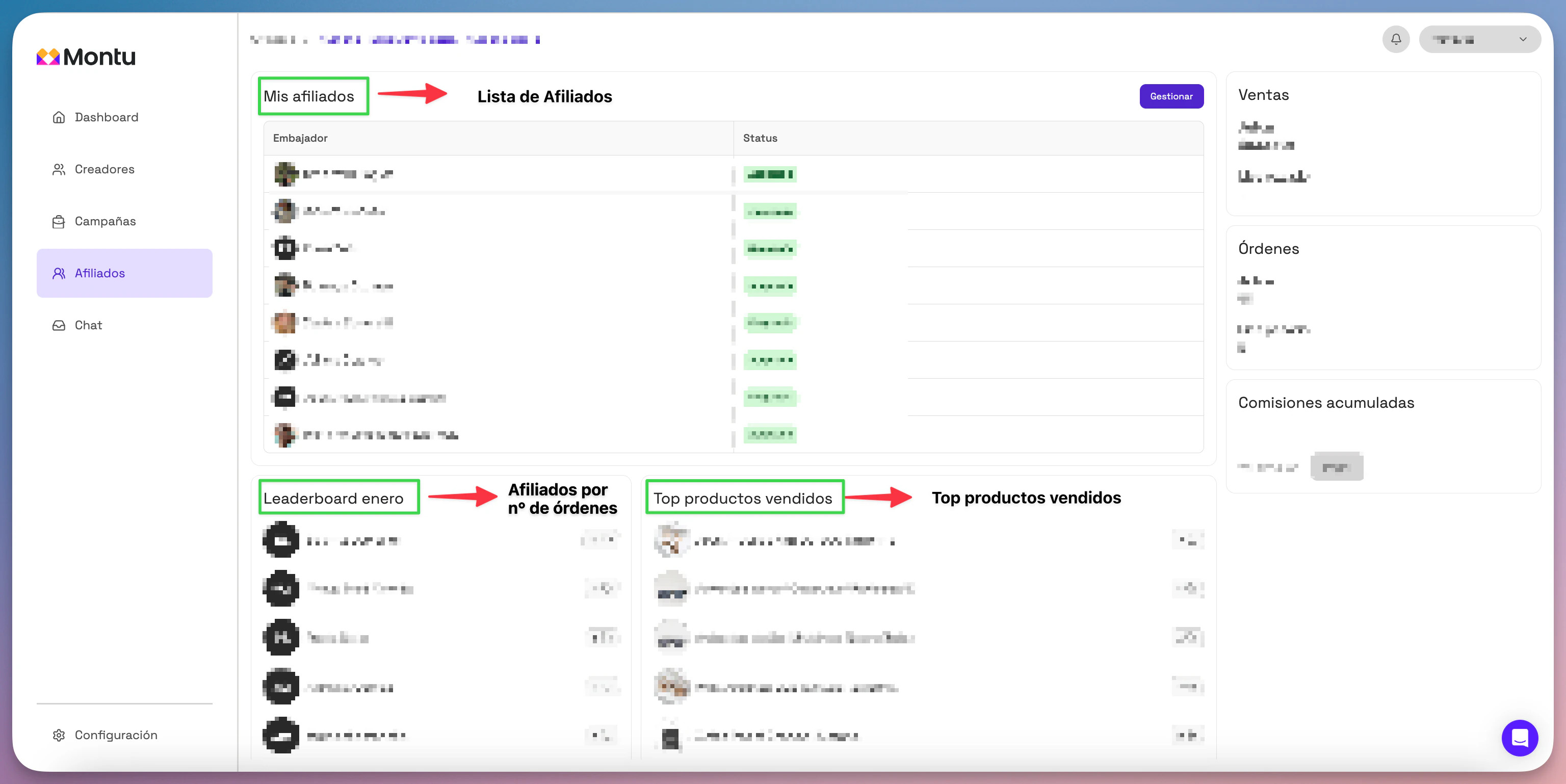
Once you're inside the program, you'll have access to the following data:
Affiliate list
Located in the center panel, it shows all active and pending affiliates.
Sales generated
In the right panel you'll find:
- Sales this month (up to today).
- Sales last month (compared to the same date).
Orders generated
Right below the sales summary you'll see:
- Number of orders generated this month.
- Orders last month, as of the same date.
Accumulated commissions
See a summary of the commissions your affiliates generated in previous periods.
From here you can also start the payment process.
Leaderboard and top products
At the bottom of the panel you'll find:
- Monthly leaderboard: a ranking of affiliates by number of orders generated.
- Best-selling products: a ranking of the best-performing products in the program.
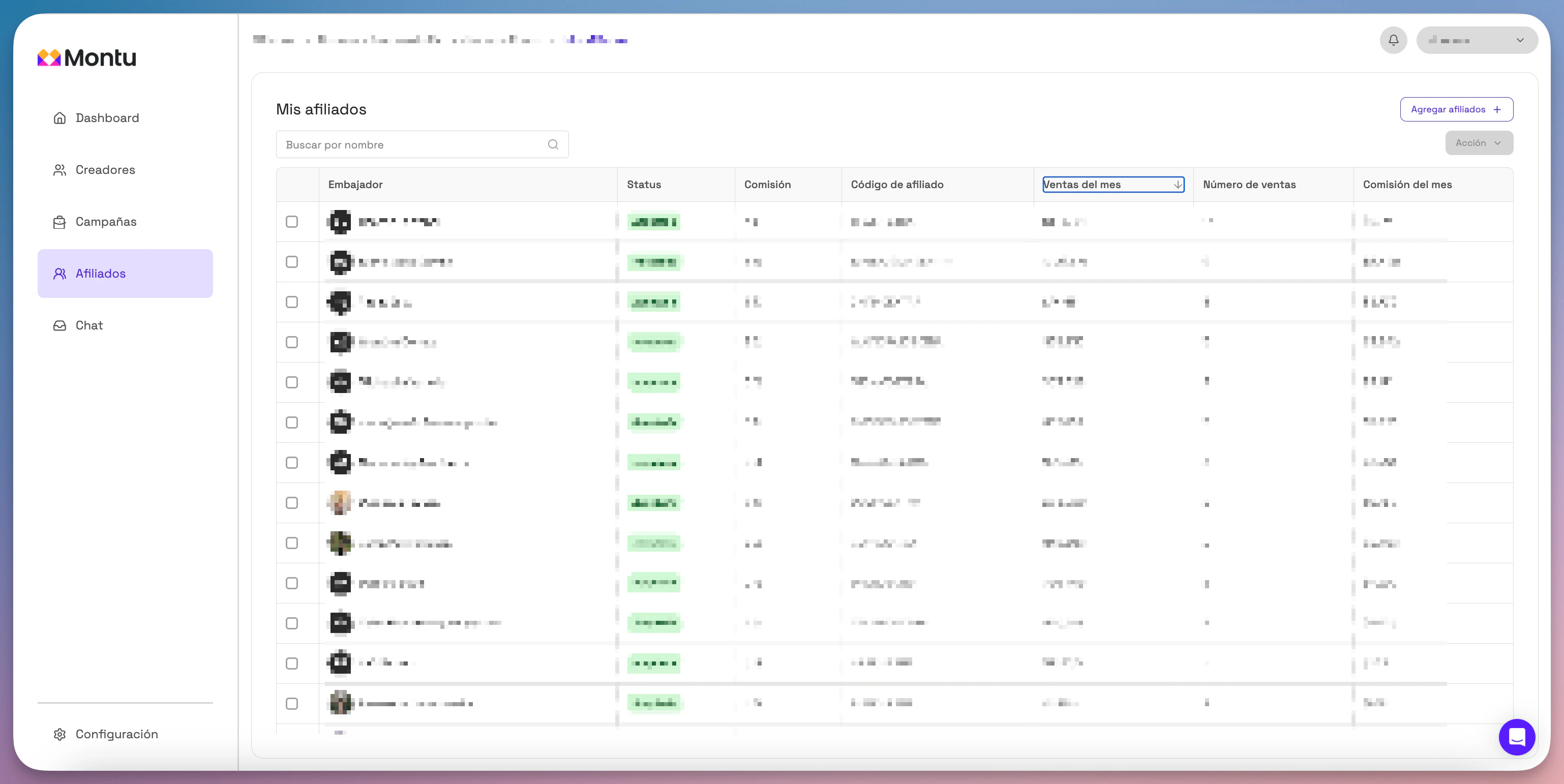
See details by affiliate
- From the My Affiliates ("Mis Afiliados") tab, click the Manage ("Gestionar") button.
- There you can see:
- Sales generated by each affiliate
- Accumulated commissions
- Their coupon status
- Detailed performance history