
📁 Where can I find my invoices?
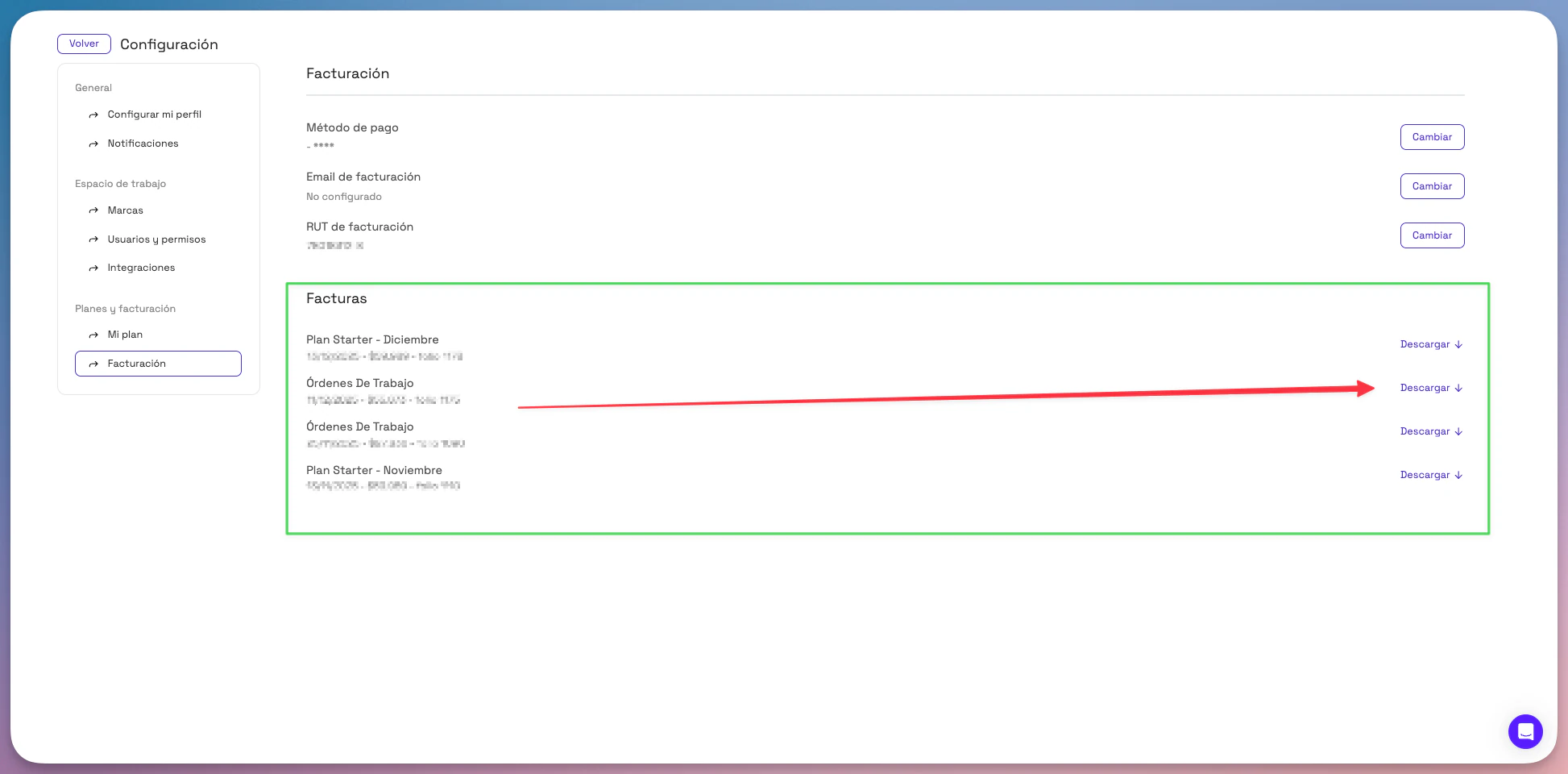
- Log in to Montu and click Settings ("Configuración") (bottom left).
- Select the Billing ("Facturación") section.
- Under the Invoices ("Facturas") heading, you'll see a complete list of all your tax documents, organized by type:
- Subscription plans
- Work Orders
- Affiliate programs
⬇️ How do I download an invoice?
- Find the invoice you want to download in the table.
- Click the Download ("Descargar") button on the right side of each row.
🟢 The file downloads automatically as a PDF.
💡 Tip: We recommend saving your invoices every month to keep your accounting up to date, especially if you manage multiple campaigns.