
How do I connect my store to Montu?
Connect your store to Montu to sync your catalog, track your sales and launch campaigns or affiliate programs.
Connecting your store to Montu lets you get the most out of the platform.
By integrating your ecommerce store, you can:
- Track your sales and best-selling products.
- Sync your catalog with Montu to use it in AI-generated campaigns.
- Create affiliate programs that track sales automatically, even in physical stores.
🧭 Where do I connect my store?
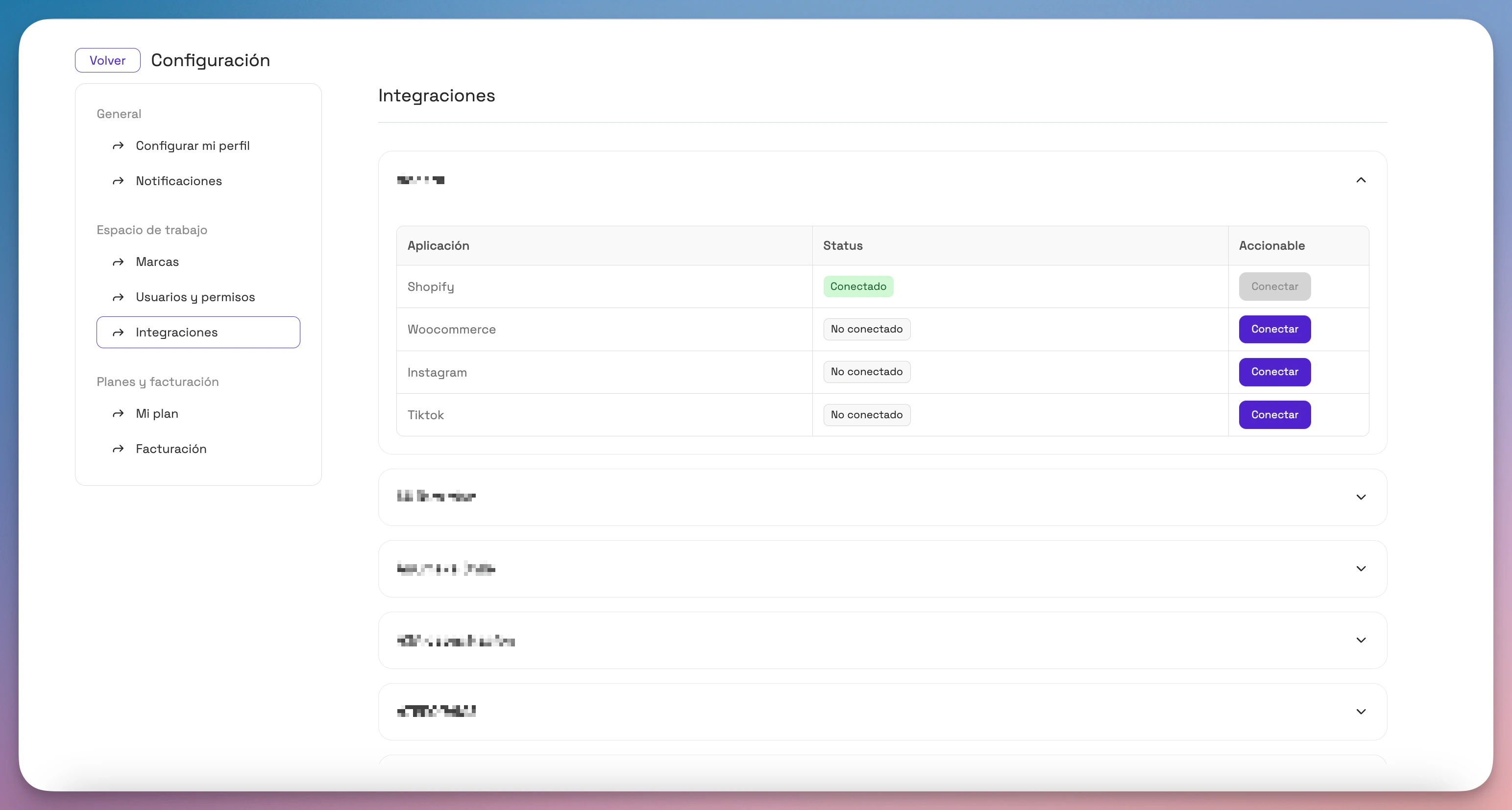
- Click Settings ("Configuración") in the left sidebar.
- Select the Integrations ("Integraciones") tab.
- Choose the brand you want to connect a store to.
- Find the block of available stores (Shopify or WooCommerce).
🛒 How to connect your store by platform
Shopify
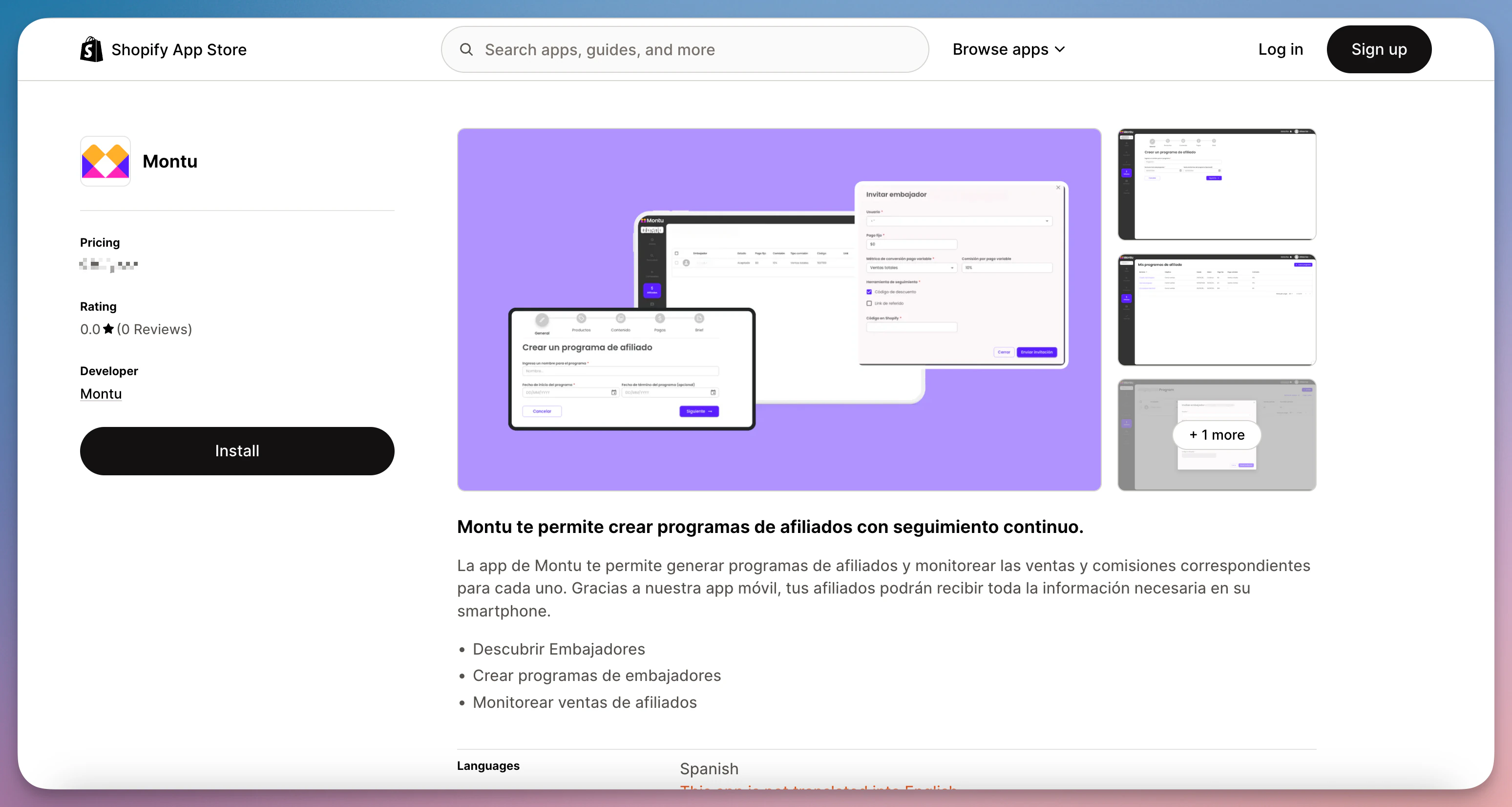
- In the Shopify row, click Connect ("Conectar").
- You'll be redirected to the Shopify App Store.
- Click Install ("Instalar") and follow the steps in the Shopify flow.
- Once the installation is complete, you'll be taken back to Montu automatically and your store will be integrated.
WooCommerce
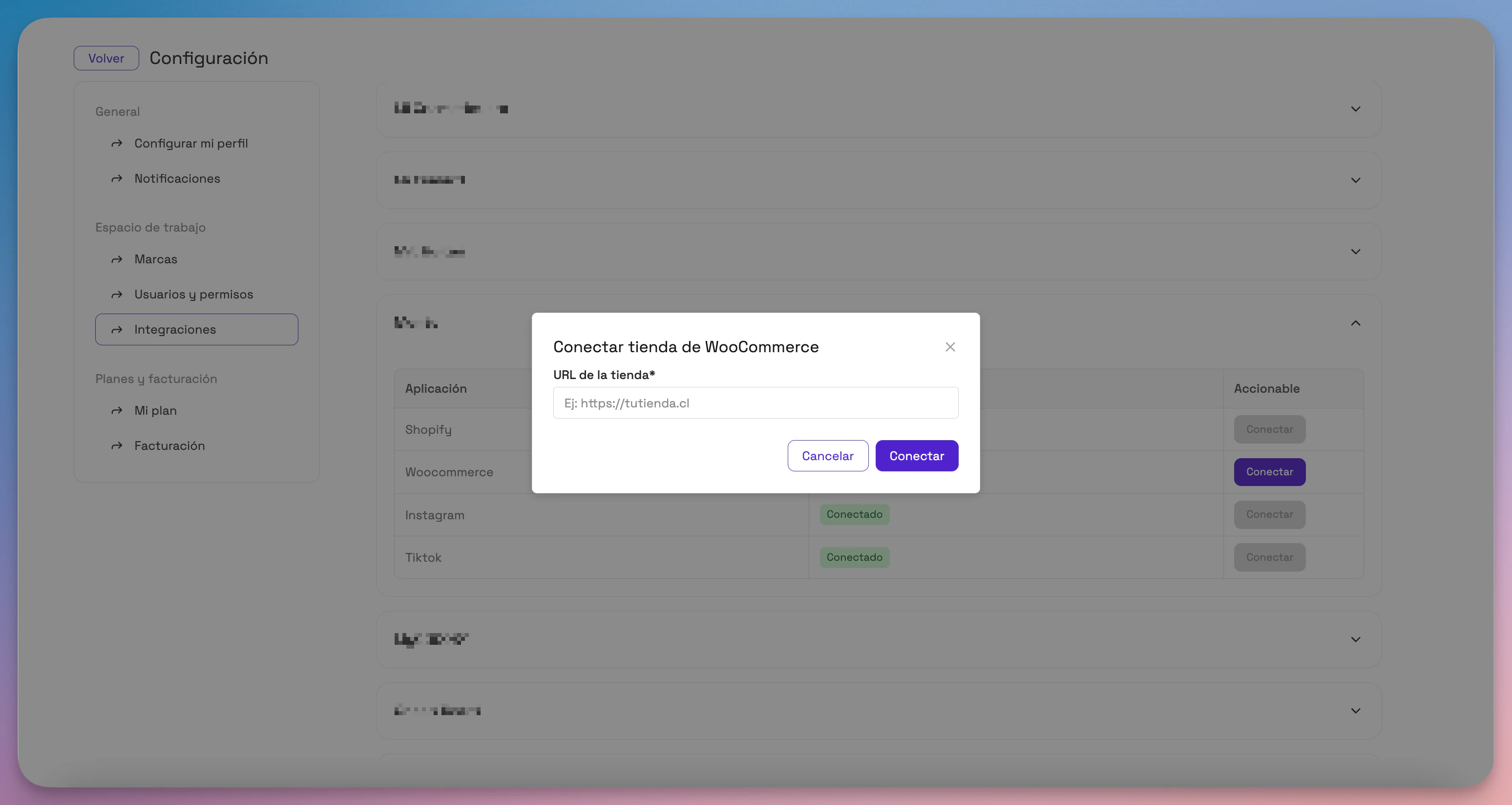
- In the WooCommerce row, click Connect.
- Enter your WooCommerce store URL.
- Click Connect to start the process.
- You'll be redirected to WooCommerce to authorize the connection.
- When you finish, you'll return to Montu and see your store information loaded.
🏬 Do you have physical stores?
If you're thinking about creating an affiliate program for physical stores and don't use Shopify POS, we can help you too.
🔧 We offer custom integrations to track in-store sales and connect your system to Montu.
✉️ Email us at hola@montu.io to book a feasibility call with our team.
⚠️ If you use Shopify POS, you don't need any additional integration: in-store orders are also tracked automatically.