
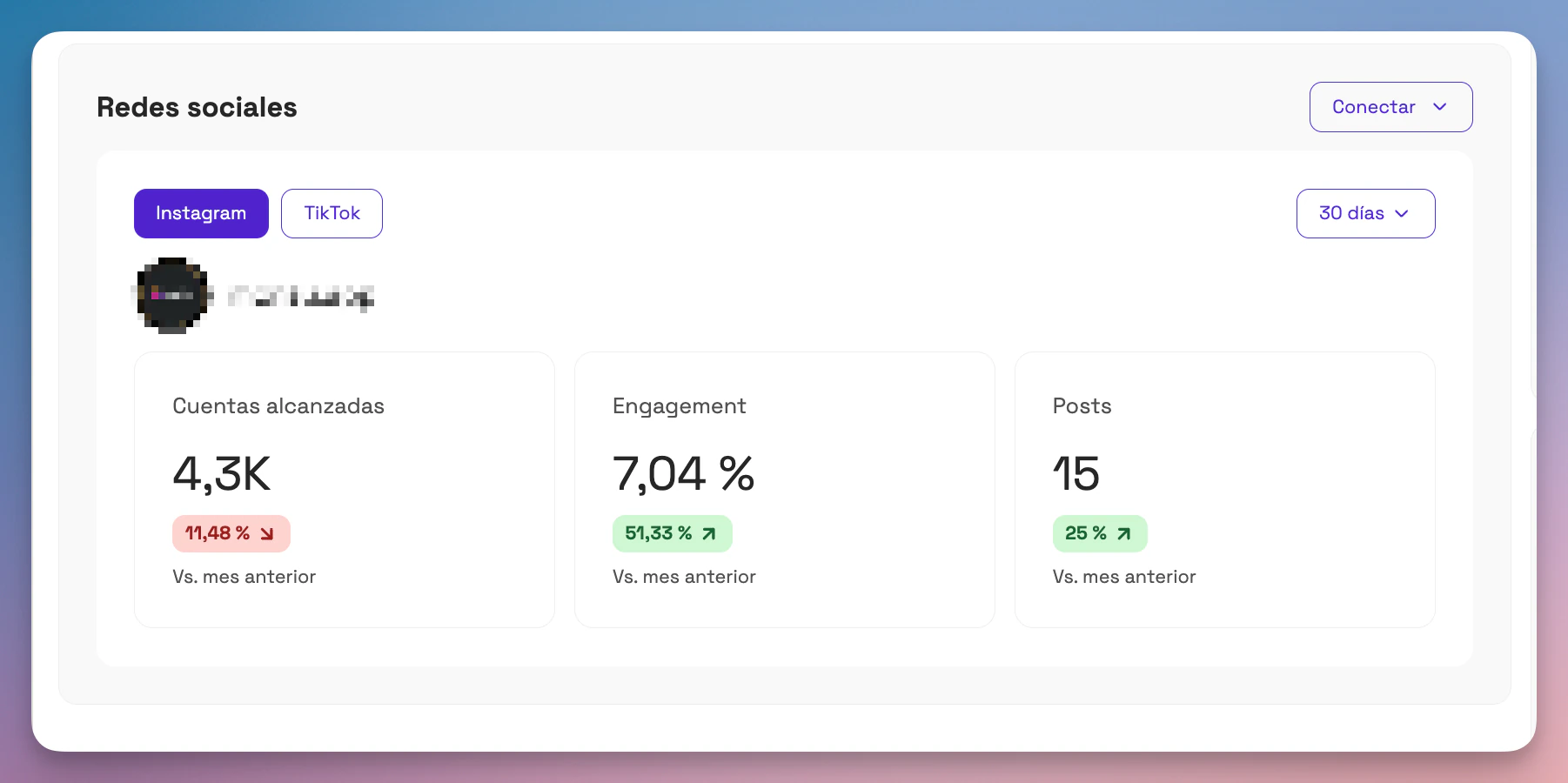
The Social media ("Redes sociales") section of the dashboard lets you view the organic performance of your connected Instagram and TikTok accounts.
This data comes directly from the official platforms through secure native integrations, and it updates automatically based on the selected period (default: last 30 days).
🧭 Where can you see this information?
- Go to the Social media module in the main dashboard.
- You can switch between the Instagram and TikTok tabs.
- You can also change the date range (last 7, 30 or 90 days) in the top-right corner.
📊 Metrics available for Instagram
Accounts reached: total number of unique accounts that saw at least one of your posts during the last 30 days.
Engagement: average percentage of interactions over accounts reached for each post uploaded in the last 30 days. It's calculated as: (likes + comments + shares + saves / accounts reached)
Posts: total number of posts shared in recent days. Includes reels, carousels, photos and videos published from the connected account.
📊 Metrics available for TikTok
Views: Total number of views your published videos received in the selected period.
Engagement: average percentage of interactions over views for each post uploaded in the last 30 days.
Posts: number of posts made during the last 30 days.
📈 Comparison with the previous month
Below each metric you'll see a percentage indicator that shows the change compared with the previous period (e.g. the last 30 days vs. the 30 days before).
- In green when there's growth.
- In red when there's a drop.
This lets you see whether your content efforts are having a positive impact on your community.
🛠️ What if you don't see any data?
- Make sure you have connected your account correctly from: Settings > Integrations > Instagram/TikTok ("Configuración > Integraciones > Instagram/TikTok").
- Data is only shown if your account is in professional mode (Instagram) or you have a business or creator account (TikTok).