
How do I start a conversation with a creator from their profile?
Start a conversation with a creator directly from their profile to answer questions before you send a Work Order.
⚠️ This feature is designed for brands that work with creators at an advanced level or run campaigns with larger budgets.
If you're just getting started, we recommend using the standard campaign flow first, where creators apply and you choose from the Pipeline. See how the campaign Pipeline works
From a creator's profile, you can start a direct conversation through Montu's built-in chat. This is useful if you want to answer specific questions before sending a Work Order or explore new ways to collaborate.
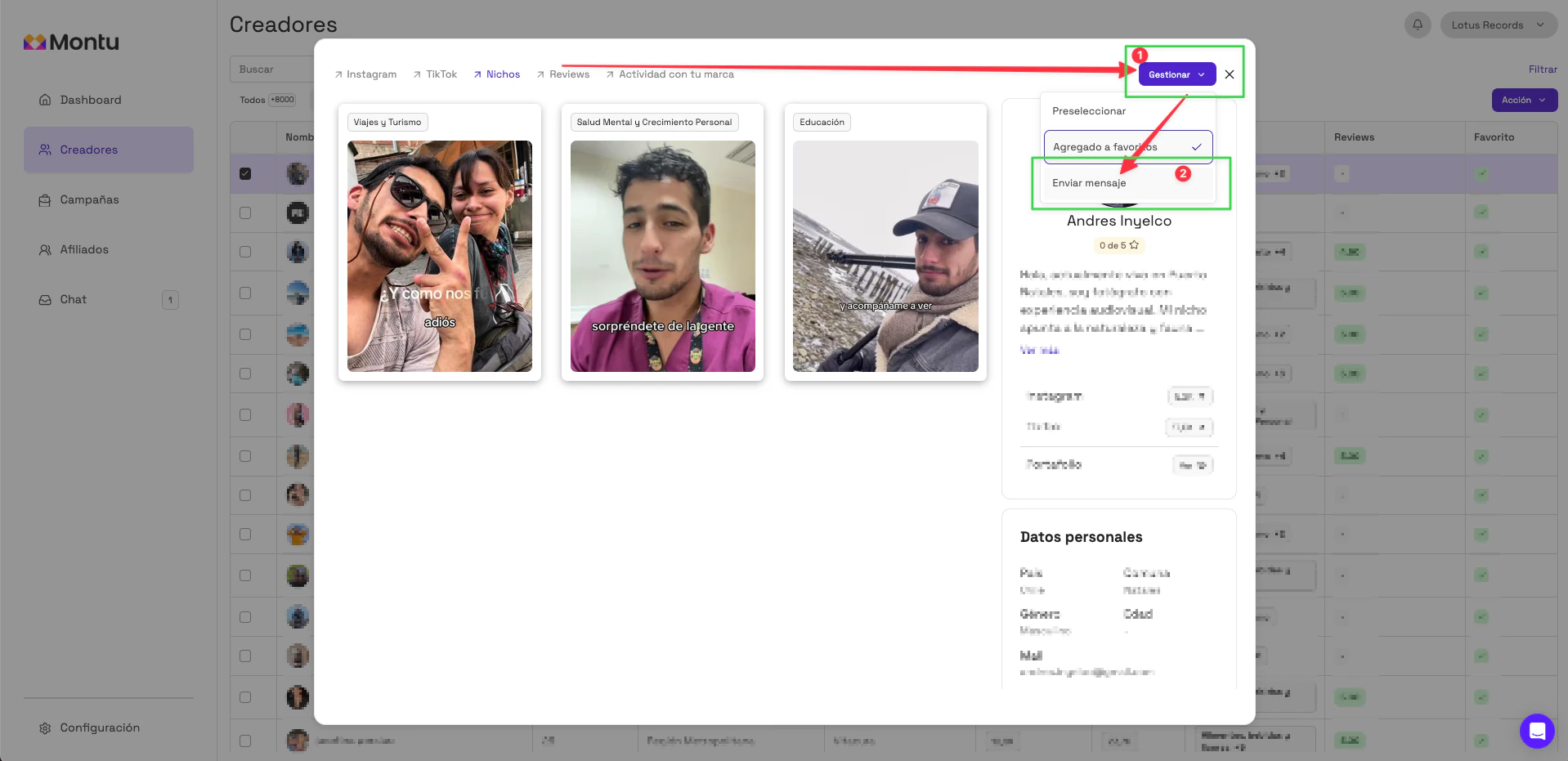
🧭 Steps to start a chat from the Creators ("Creadores") section
- Go to the Creators section from the left sidebar.
- Click the name of the creator you're interested in to open their profile.
- Click the Manage ("Gestionar") button at the top right.
- Click Start conversation ("Iniciar conversación").
📲 Where do I see the replies?
Once the chat has started, you can continue the conversation from the Chat section in the main menu. The creator will get a notification in their mobile app.
For more information about using the chat, see the section: Chat
🔒 Does the creator see my information?
They'll only see your brand's information and your Montu username.